Meta Ships Muse Image: A Model That Looks Things Up and Fixes Its Own Mistakes, Ranked No. 2 Worldwide
Sibling model Muse Video was previewed alongside it, already supports native audio generation, and is coming soon for creators.
- Meta Superintelligence Labs released its first in-house media generation models since the lab was founded: Muse Image, now live, and Muse Video, shown in preview.
- Muse Image calls search and code tools while generating an image to verify content and check details — turning image generation into a process of researching as it draws.
- The model checks and revises its own drafts mid-generation. This self-correction habit emerged on its own during reinforcement learning training — the team didn't design it in.
- On the Arena human-preference leaderboard (as of July 5, 2026), Muse Image ranks No. 2 in text-to-image, single-image editing, and multi-image editing; Muse Video ranks No. 3 in text-to-video.
- Muse Image is now live in the Meta AI App, meta.ai, U.S. Instagram Stories, and WhatsApp in some countries, with Facebook coming soon; Muse Video is coming soon for creators.
Meta Steps In Directly, Ships Two In-House Image and Video Models
On July 7, 2026, Meta Superintelligence Labs released Muse Image and Muse Video — the lab's first self-developed media generation models since its founding.
Muse Image is now officially live, while Muse Video has been released as an early preview. The former generates images, the latter generates video, and both share the same pretrained backbone.
Why it's worth a look: When Muse Image generates an image, it works step by step like an assistant that looks things up, writes code, and revises its own drafts — and on the Arena human-preference leaderboard, it ranks No. 2 in text-to-image, single-image editing, and multi-image editing.
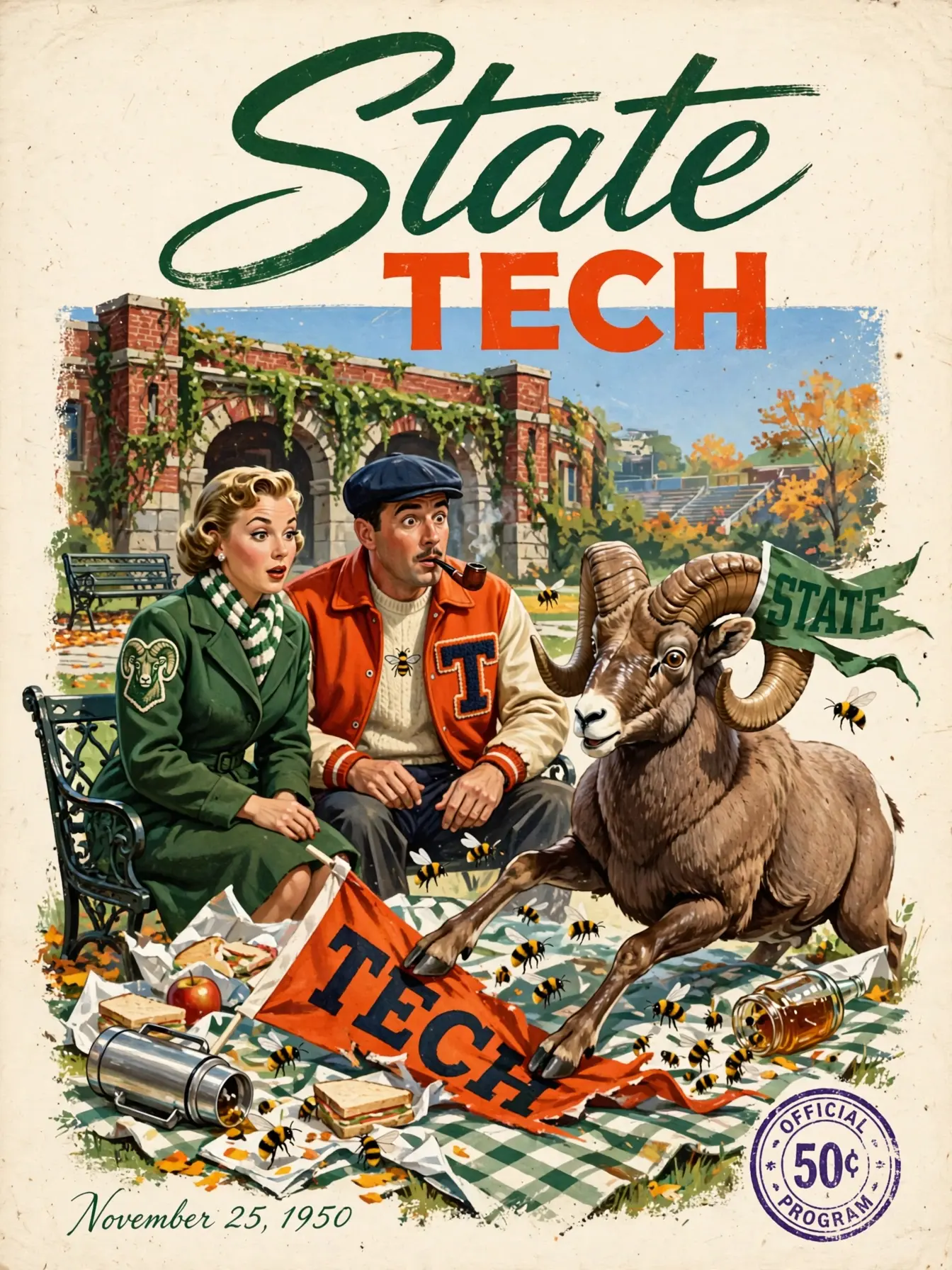
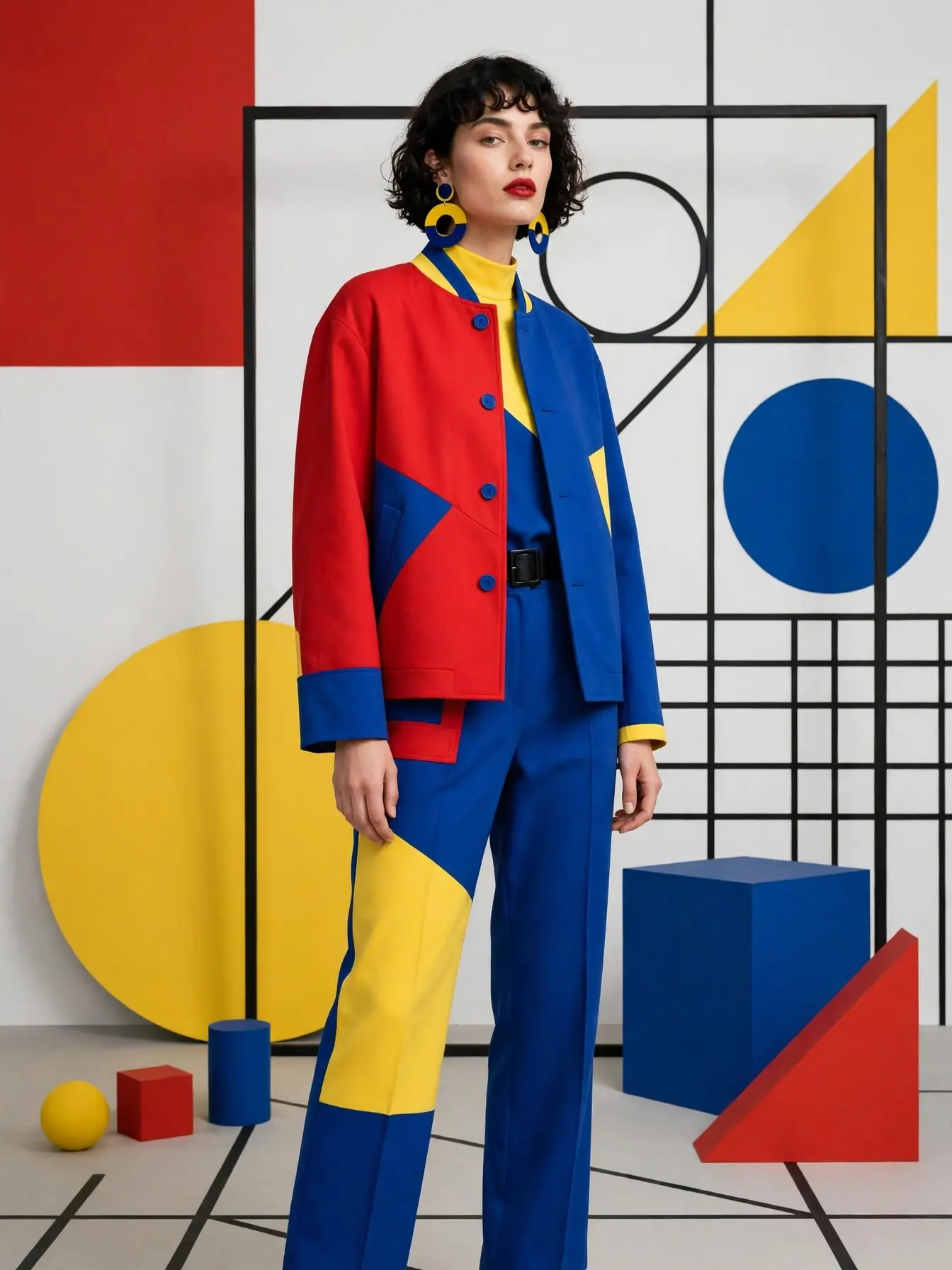
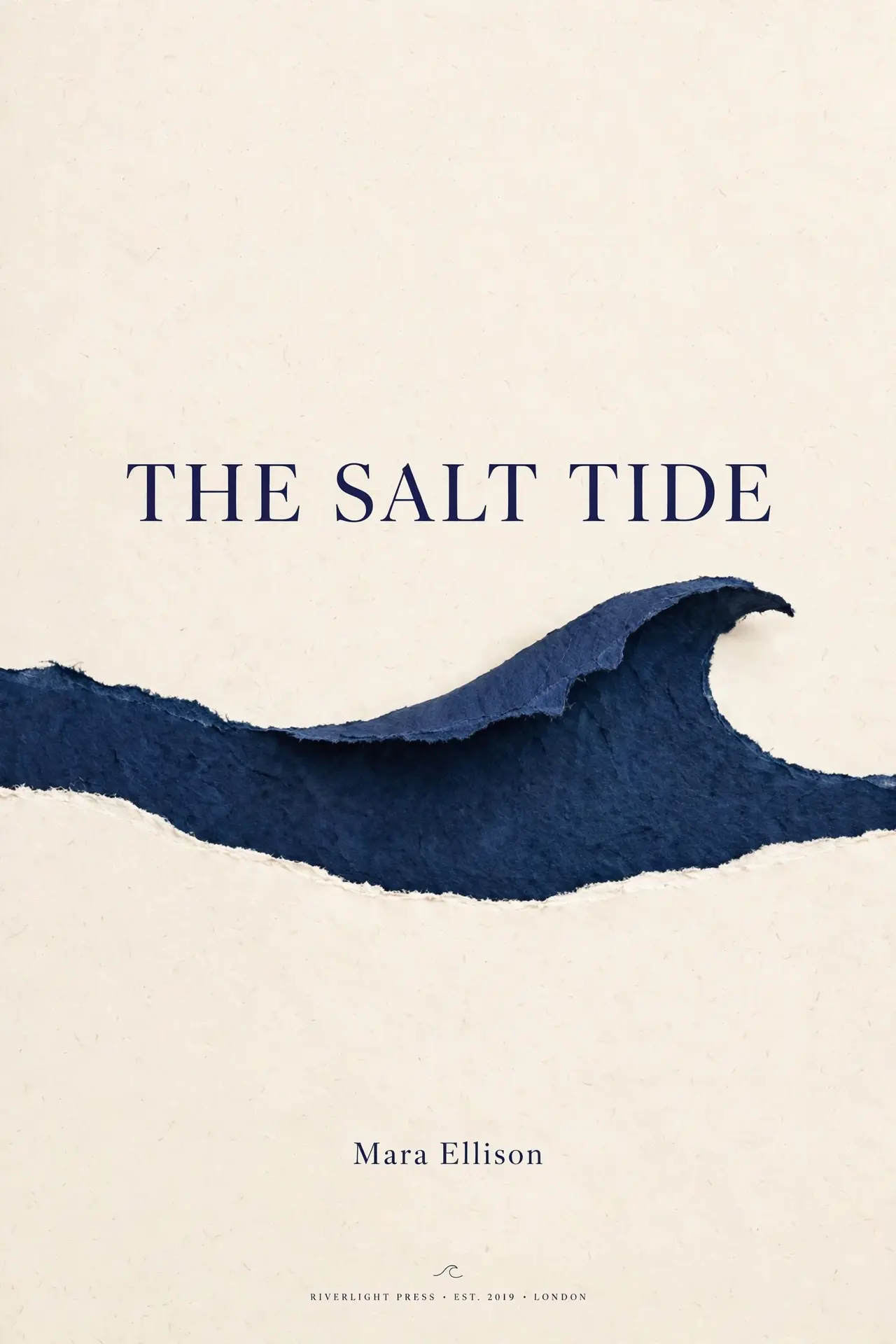
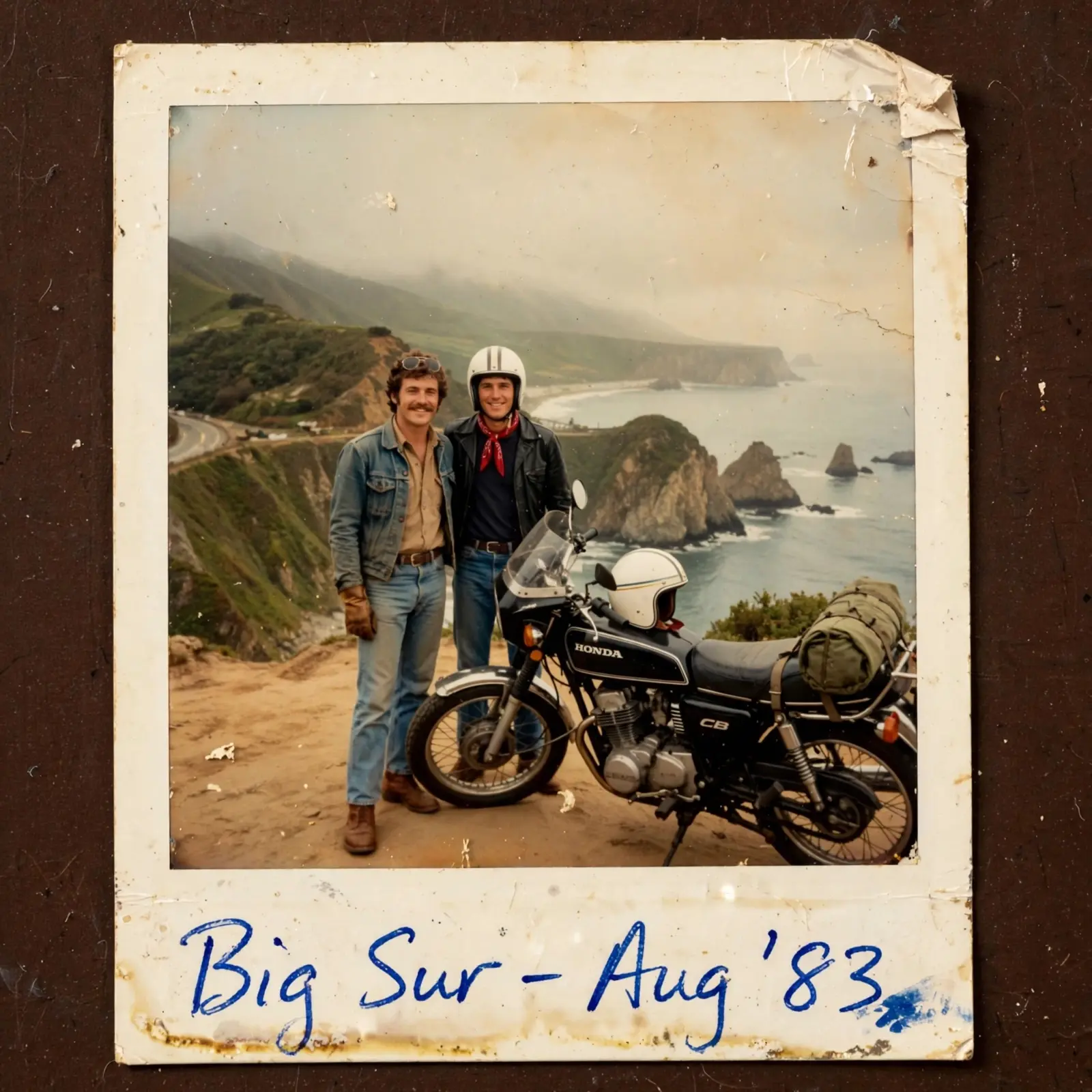
Sample outputs officially shown by Muse Image. Source: Meta AI Blog.
Turns Out AI Image Generation Can Look Things Up, Write Code, and Draw All at Once
Past image models mapped your prompt straight into a picture, with no verification step in between. Muse Image turns generation into an agentic process (one where the model calls tools on its own and works through the task step by step): it calls search and code tools first, checking and calculating as it goes, before assembling the final image.
Writing code. During reinforcement learning, Muse Image learned to write and run code to produce accurate charts and QR codes, then correct the image based on what the rendered output showed. To draw a QR code that actually scans, it will compute the QR code with real code, open the image to confirm it scans, and only then place it into the scene.
Web search. It also learned to search, aligning generated images with real, up-to-date information. With search turned on, prompts that depend on current events and real-world facts come out with higher factual accuracy.
Muse Image can also work together with Muse Spark — the two models share tools and plan jointly, combining code and media generation to produce animations, image-rich web pages, and playable visual mini-games.
An Example: Drawing a Conference Poster with a QR Code That Actually Scans
The original scenario: a Korean webtoon-style scene of a young woman standing in front of an ICML 2025 poster, scanning a QR code that points to meta.ai. Here's how the model worked through it step by step:
Korean webtoon style · ICML 2025 poster
pointing to meta.ai
confirm it actually scans
look down at her phone screen
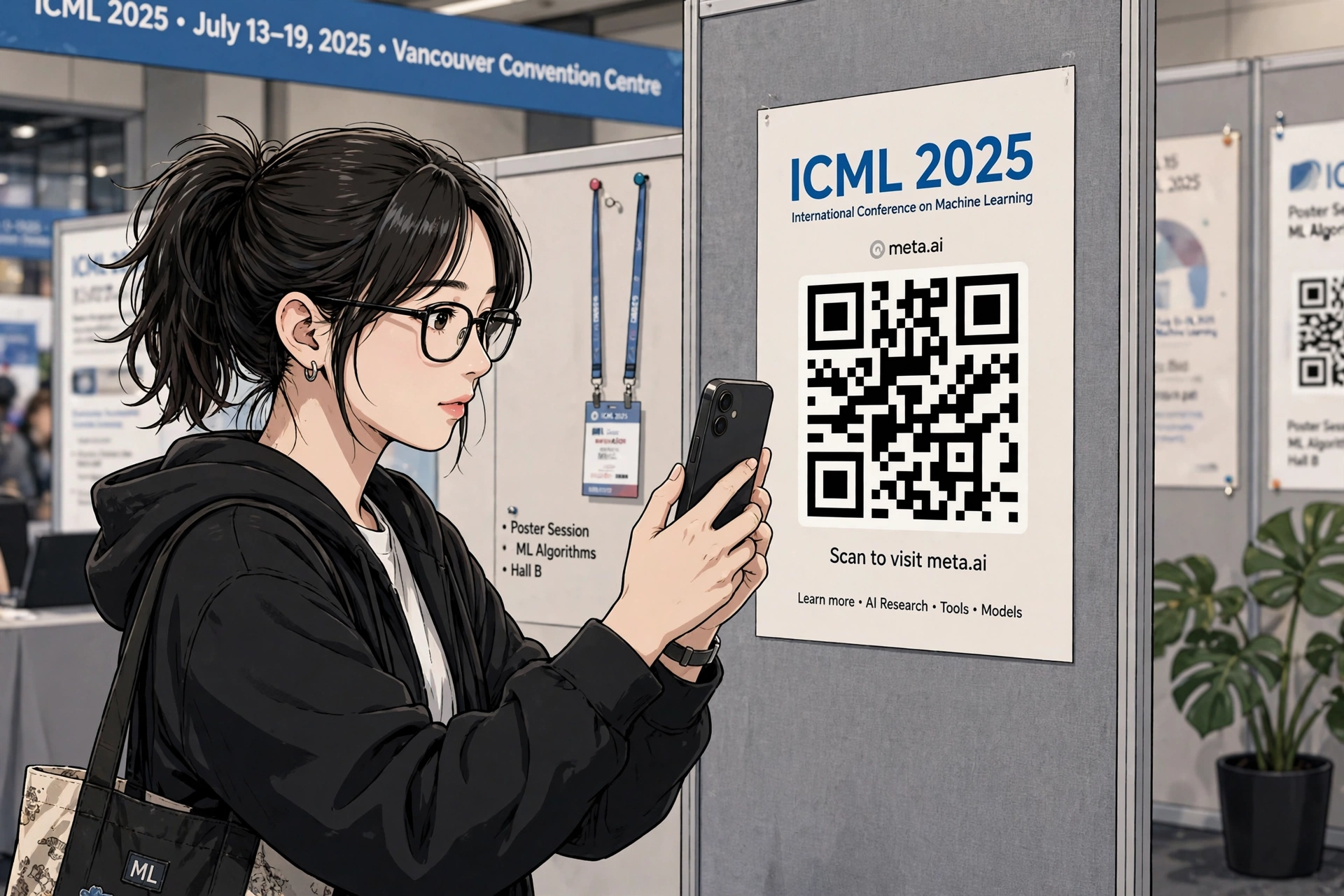
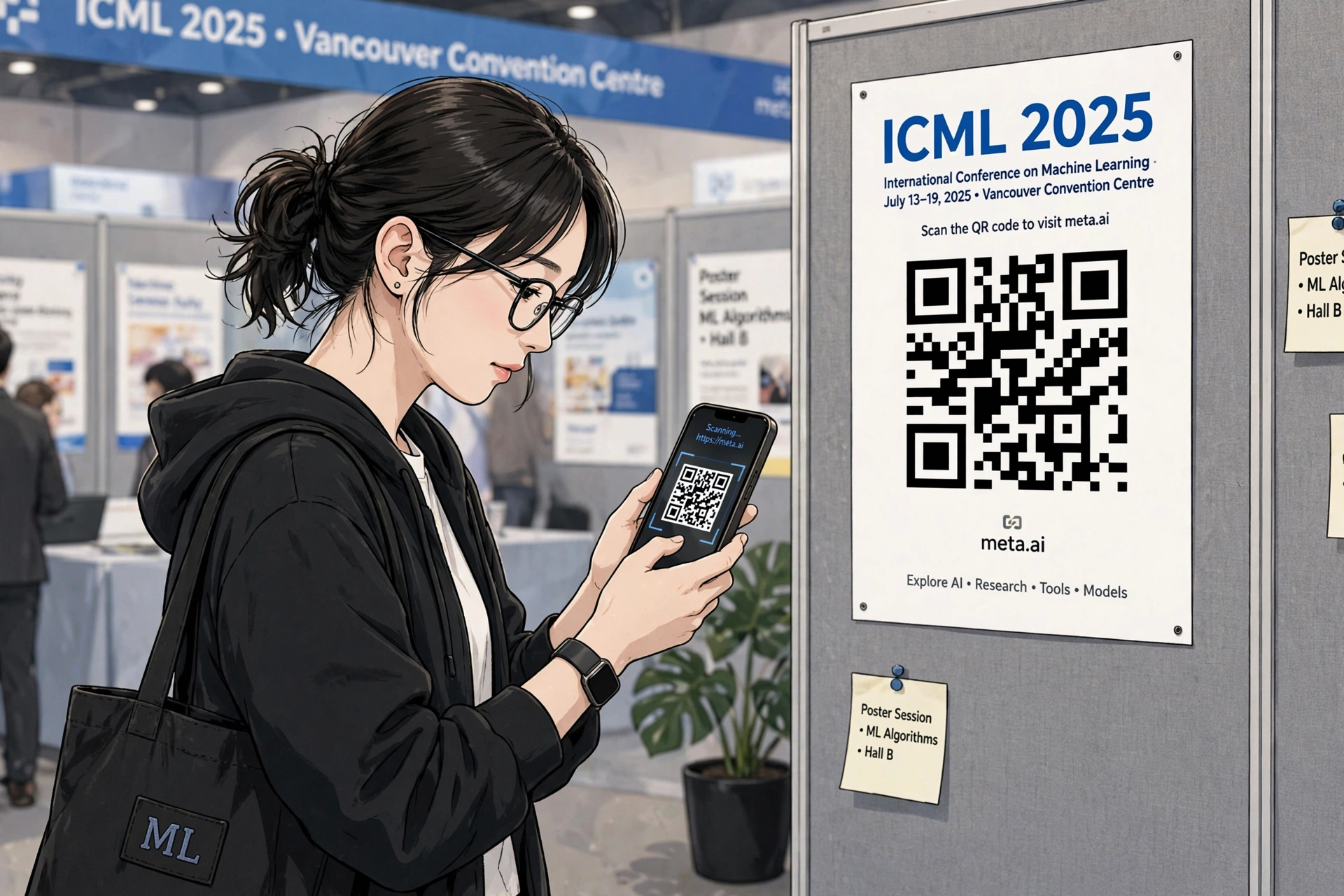
Left: the initial version, with the character staring at the QR code; right: after the model fine-tuned it, the character now looks down at her phone instead, while the art style, poster, and QR code details all stay unchanged. Source: Meta AI Blog.
With vs. Without Search
For prompts heavy on current events and real-world facts, the model can only rely on what it already remembers, which makes mistakes more likely.
It looks things up before drawing, resulting in higher factual accuracy (in Meta's internal ablation study, the search-on variant had a higher win rate).
More agentic examples (click to expand)
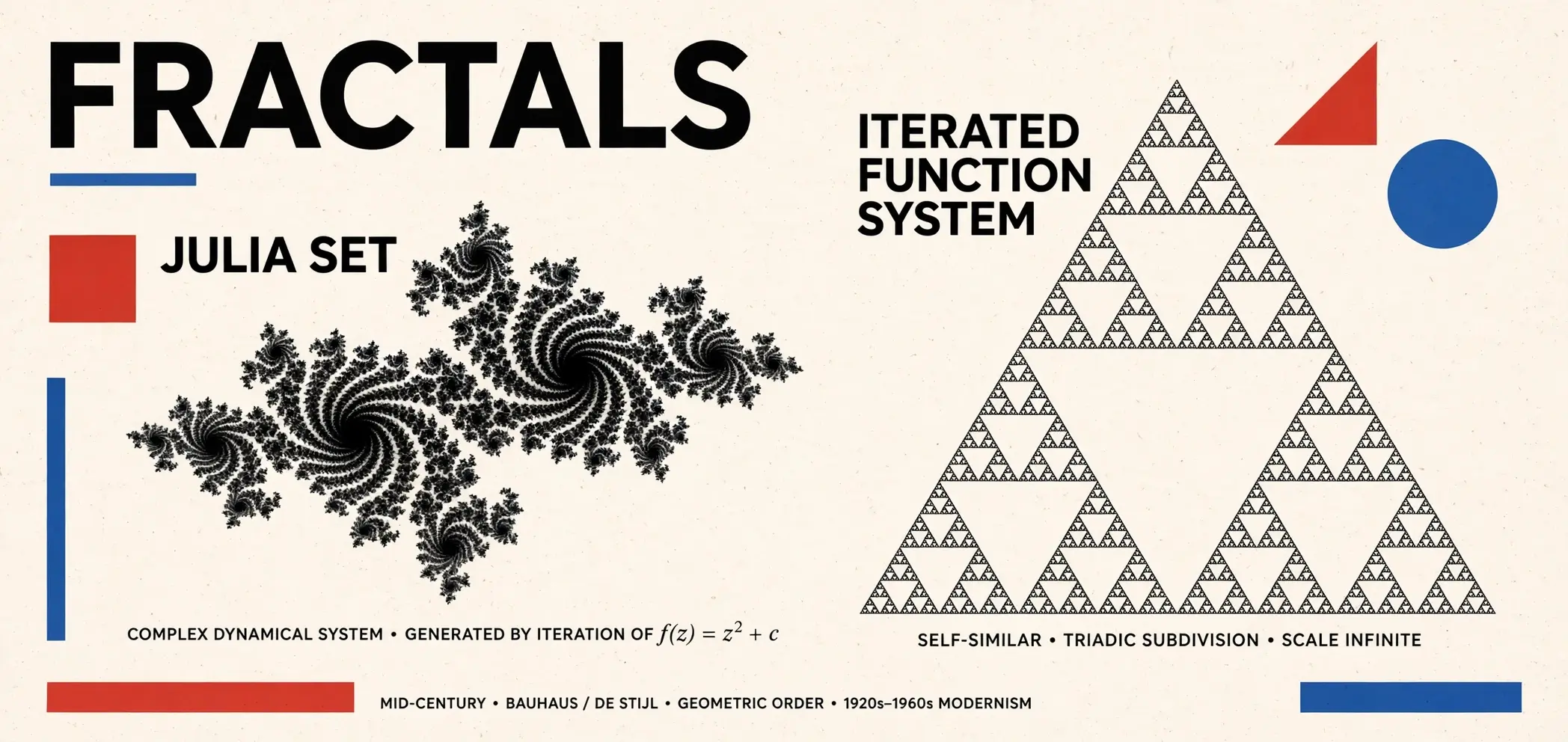
- Fractal poster: First writes Python to compute a Julia set and a Sierpinski triangle, composites a clean base image, then applies a mid-century Swiss grid layout.
- Fighting-game flip animation: Generates frame-by-frame punches and dodges, keeping lighting and character design consistent throughout.
- Pet-raising mini-game: Generates six images of a cat at kitten, adolescent, and senior stages, converts them to base64, and embeds them directly into HTML — delivering a self-contained webpage that's playable the moment it opens, with no external files.
- 2026 summer outfits: First searches fashion trends and product catalogs, then produces outfit images you can order directly from.
- Moon-formation infographic: First searches scientific diagrams and facts about the giant-impact hypothesis, then draws a six-panel vertical infographic.
- Redecorating a room with secondhand furniture: Based on a photo of your room and your city, searches Facebook Marketplace for suitable used furniture, then produces a rendering.
This "Self-Correction" Habit Is Something the AI Figured Out on Its Own During Training
Muse Image looks back over its own chain of thoughtThe step-by-step reasoning the model writes out before delivering a result — like a draft on scratch paper. and refines its own work. This self-correction shows up in three forms:
If one small detail is off, it makes a local edit to the current draft.
If a large area is wrong, it just regenerates the image from scratch.
It switches to a tool — searching or writing code — to nail down the facts.
The team didn't design this behavior. It emerged on its own during reinforcement learning: the model discovered that revising drafts produced better images, which earned higher rewards — and so it learned this entire behavior on its own.
An Example: It Caught Its Own Formula Error in a Magazine Layout
The model was assembling an elegant magazine page — laying out a mathematical proof, a headline, and a portrait — and on review noticed the summation formula was missing a division sign. It corrected it to:
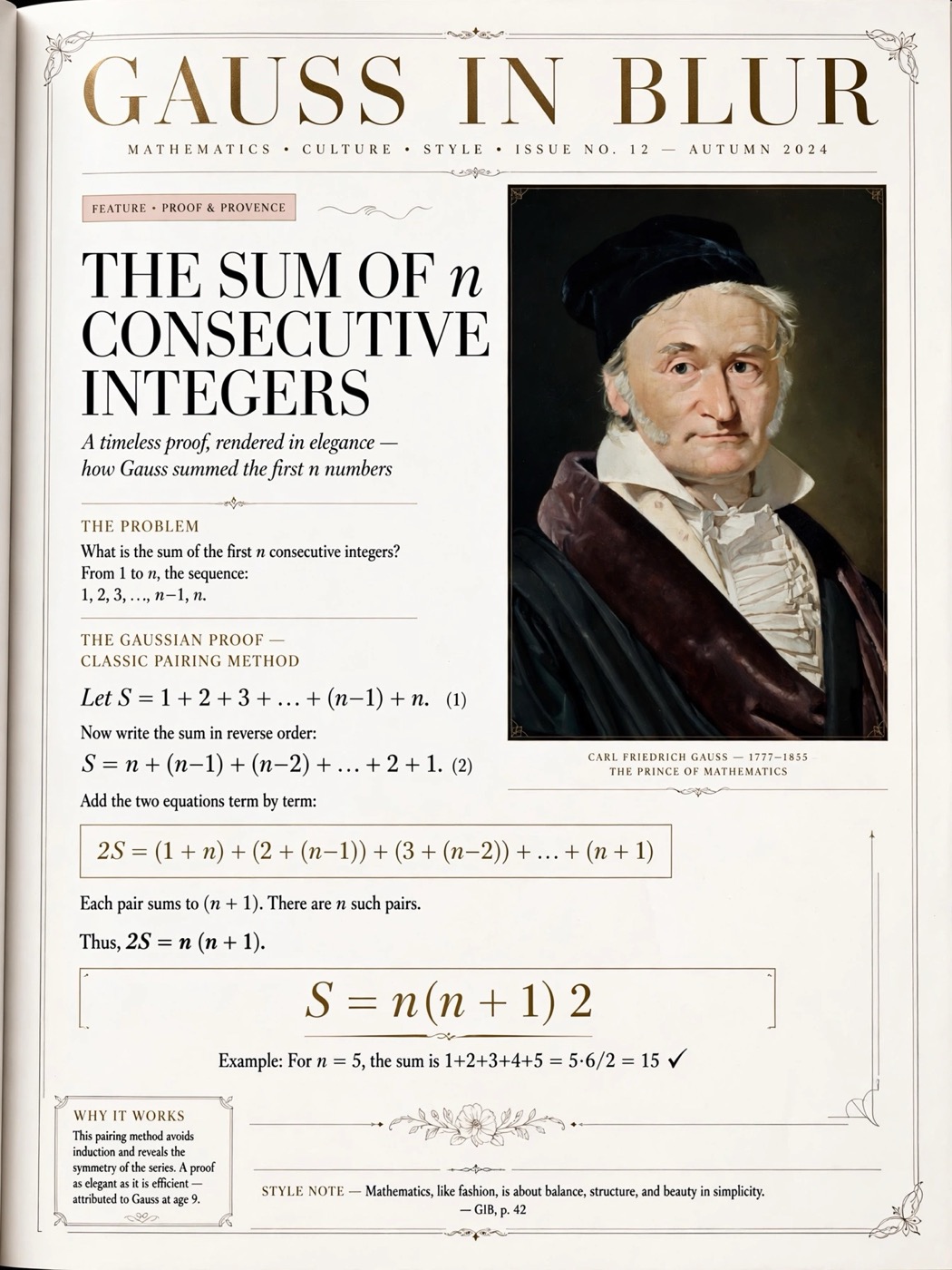
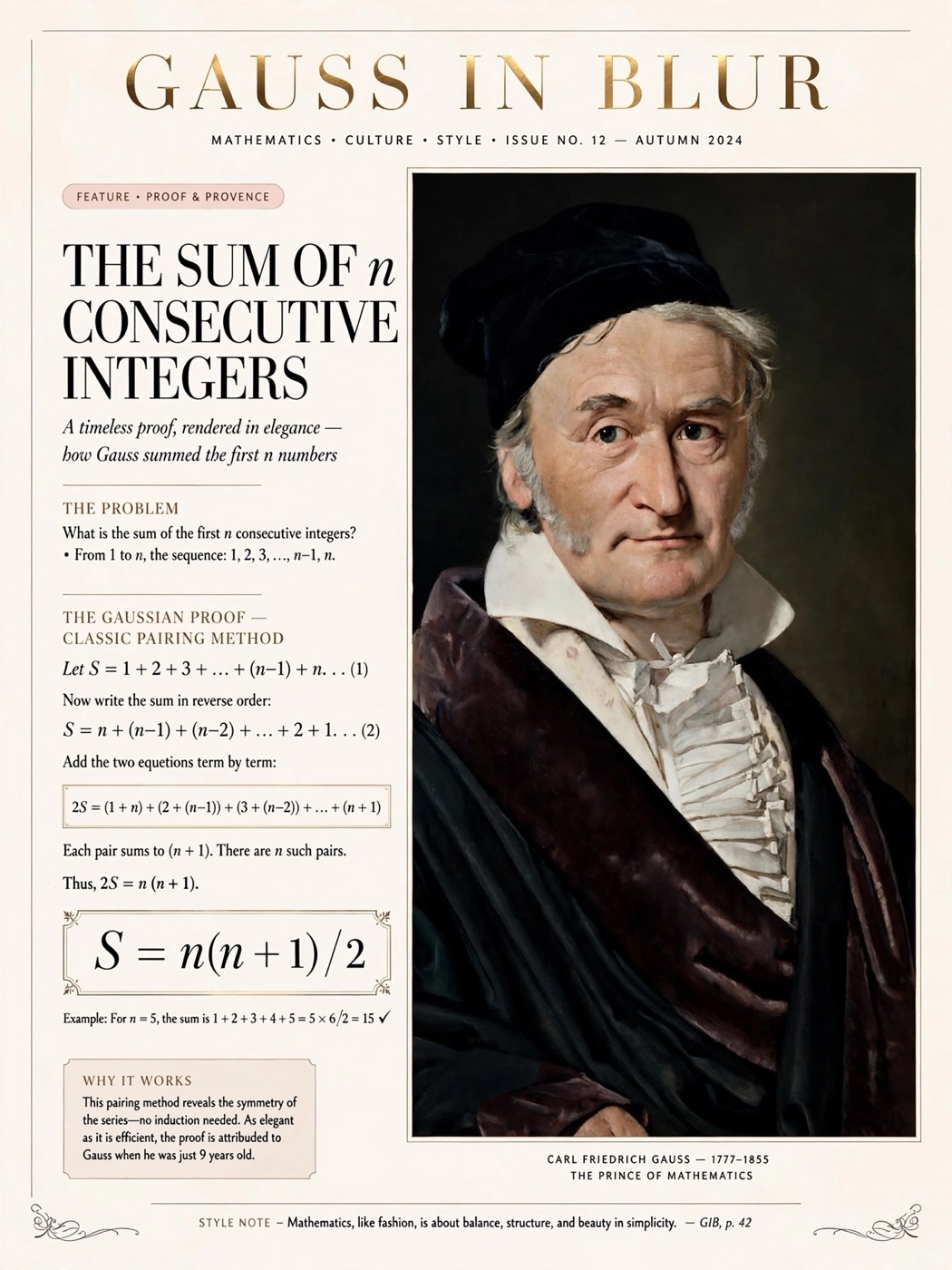
Left: the first draft, with the formula under the headline written as "S = n(n + 1) 2" — missing the division sign and not making sense; right: the model reviewed its own work, caught the error, corrected it to "S = n(n + 1) / 2," and re-checked the rest of the layout details along the way. Source: Meta AI Blog.
With vs. Without Self-Correction
The model turns in its answer after a single pass, so small flaws in the draft stay in the final image.
It reviews and revises its own draft during generation, producing higher-quality images (in Meta's internal ablation study, the self-correction-on variant had a higher win rate).
The Longer the AI Thinks, the More Accurate the Image — But the Gains Eventually Level Off
Like language models, Muse Image gets better the more it thinks while generating an image. Given more test-time computeThe extra computation a model spends before actually producing its result: more reasoning, more tool calls, more draft revisions., it reasons more, calls tools more times, and self-corrects more often.
Test-time compute is like drafting a few extra times and double-checking your exam paper a few more times. Thinking longer usually makes the answer more accurate, but past a certain point, checking it over and over yields less and less extra benefit.
Meta observed that as reasoning intensity is turned up, the human-preference Elo score rises along with it, in a roughly log-linear relationship. Interestingly, this compute spans two very different kinds of work — reasoning uses text tokens, generation uses image tokens — but final quality depends on the combined total.
How that compute gets spent matters too. Best-of-N (generating many images at once and picking the best one) improves quality quickly, but plateaus fast. Spending the same compute on deliberate reasoning keeps climbing; adding tools on top of reasoning compounds the effect further, because tools let the model reach things it wouldn't otherwise know — like searching for a missing reference or writing code to nail down a detail.
Editing an Image Now Means Changing Exactly What You Point To
When Muse Image edits a picture, it only touches the part you name and leaves everything else untouched. The original post gives a set of instructions, each one very specific:
It Can Even Precisely Replace the Text on a Storefront Sign
One instruction was to change a sign to "$3.00 ALL DAY," change "no free parking" to "FREE PARKING ON WEEKENDS," and change the phone number to 555-5555. Only the text changes — the rest of the layout stays the same:
555-1234
555-5555
Illustration: recreated from the original's sign-text editing instructions, showing the "change exactly what you point to" precision replacement.
It Stays Consistent Across Several Rounds of Edits in a Row
Muse Image supports editing round after round without drifting off-model. The original post includes a conversation that runs start to finish, with each step building on the previous image:
The same set of cat, dog, and café elements stays consistent across five rounds of edits.
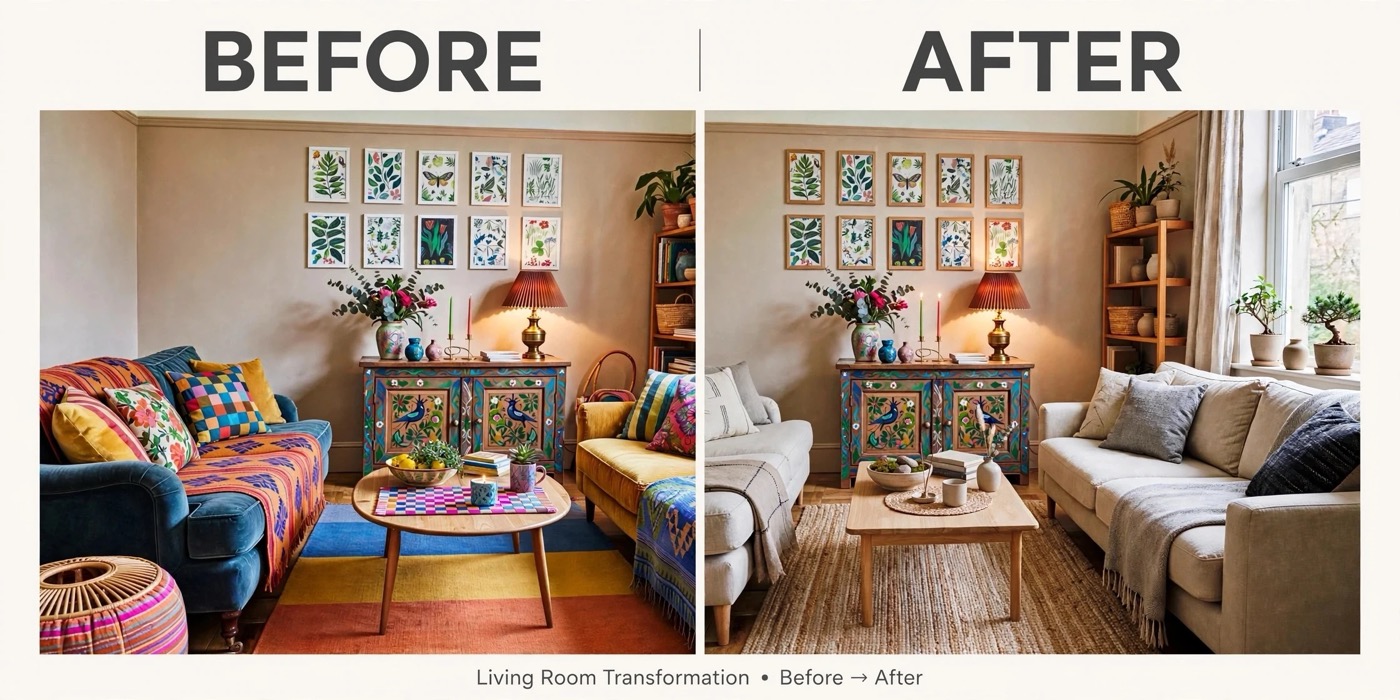
The original post also includes a similar multi-round example: "turn the living room into a Japandi style → but bring back the lamp and cabinet from the first image → finally make a before-and-after comparison," with each step building on the previous output:
Cram Several Reference Images into One Prompt, and the AI Still Gets the Composite Right
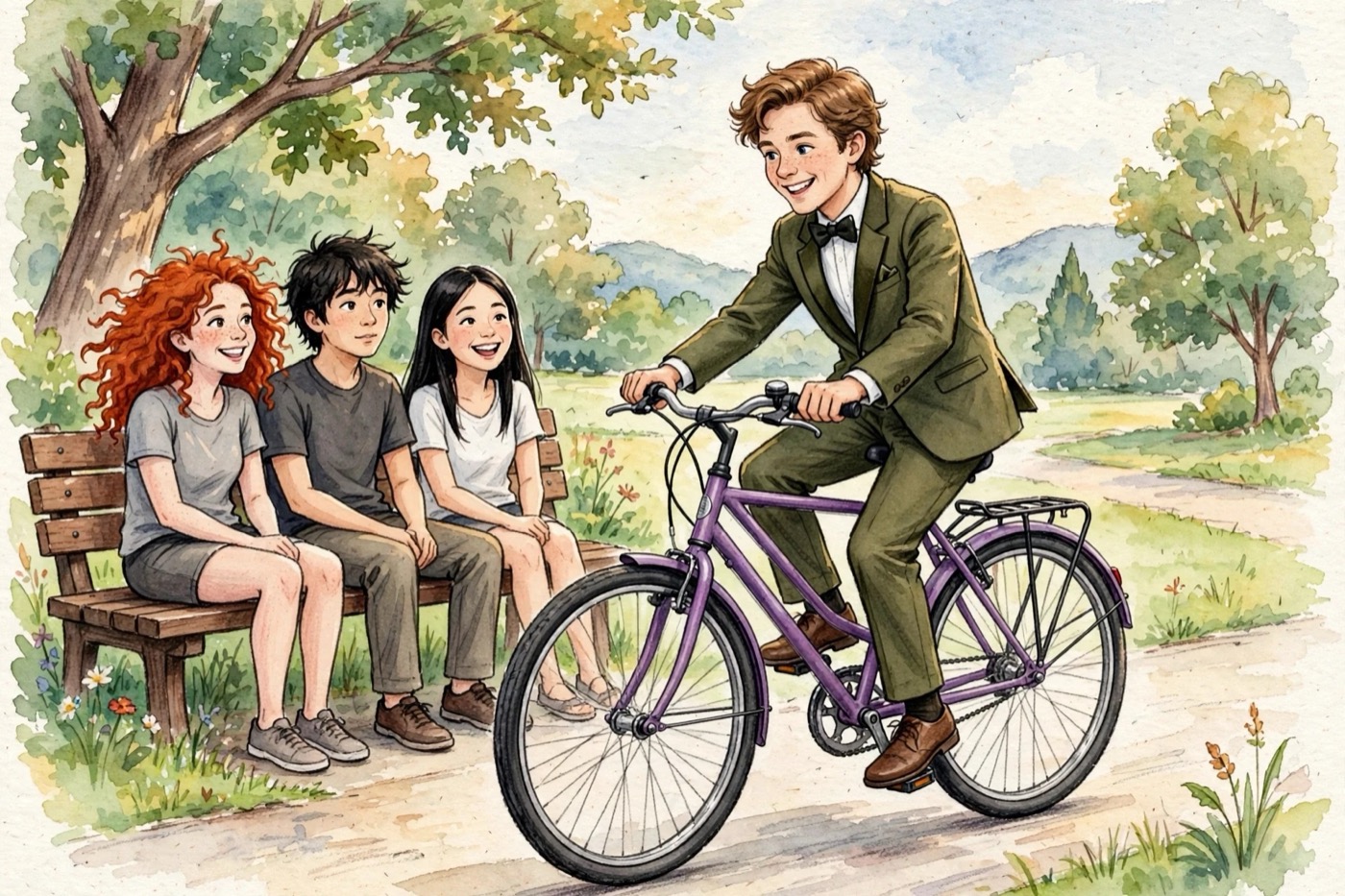
Muse Image can take elements from several reference images — a person, an object, an outfit, a style, a scene — and combine parts of each into one new image. Prompts can also interleave text and images. For example: put [this person] on [this bike], dressed in [this outfit], passing by [a park bench], all done in the style of [a certain image].
How Human Judges Scored It
This ranking comes from Arena. It computes a leaderboard score (Elo) from large numbers of real people voting head-to-head on "which image, or which video, is better" — a higher score means more people preferred that model's output, using a system similar to competitive-game rank tiers. As of July 5, 2026, here's where the Muse family stands:
| Category | Model | Arena Rank |
|---|---|---|
| Text-to-Image | Muse Image | No. 2 |
| Single-Image Edit | Muse Image | No. 2 |
| Multi-Image Edit | Muse Image | No. 2 |
| Text-to-Video | Muse Video | No. 3 |
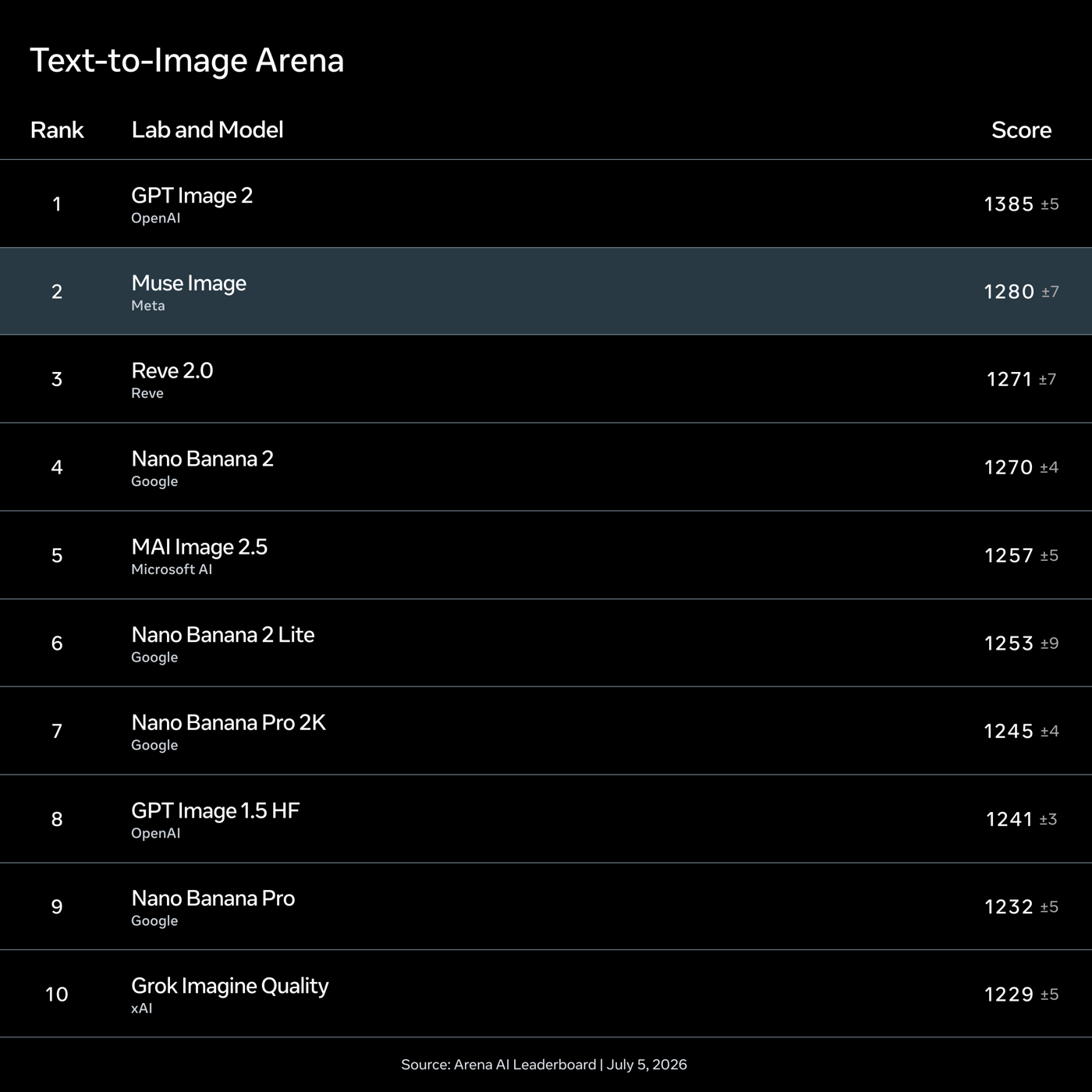
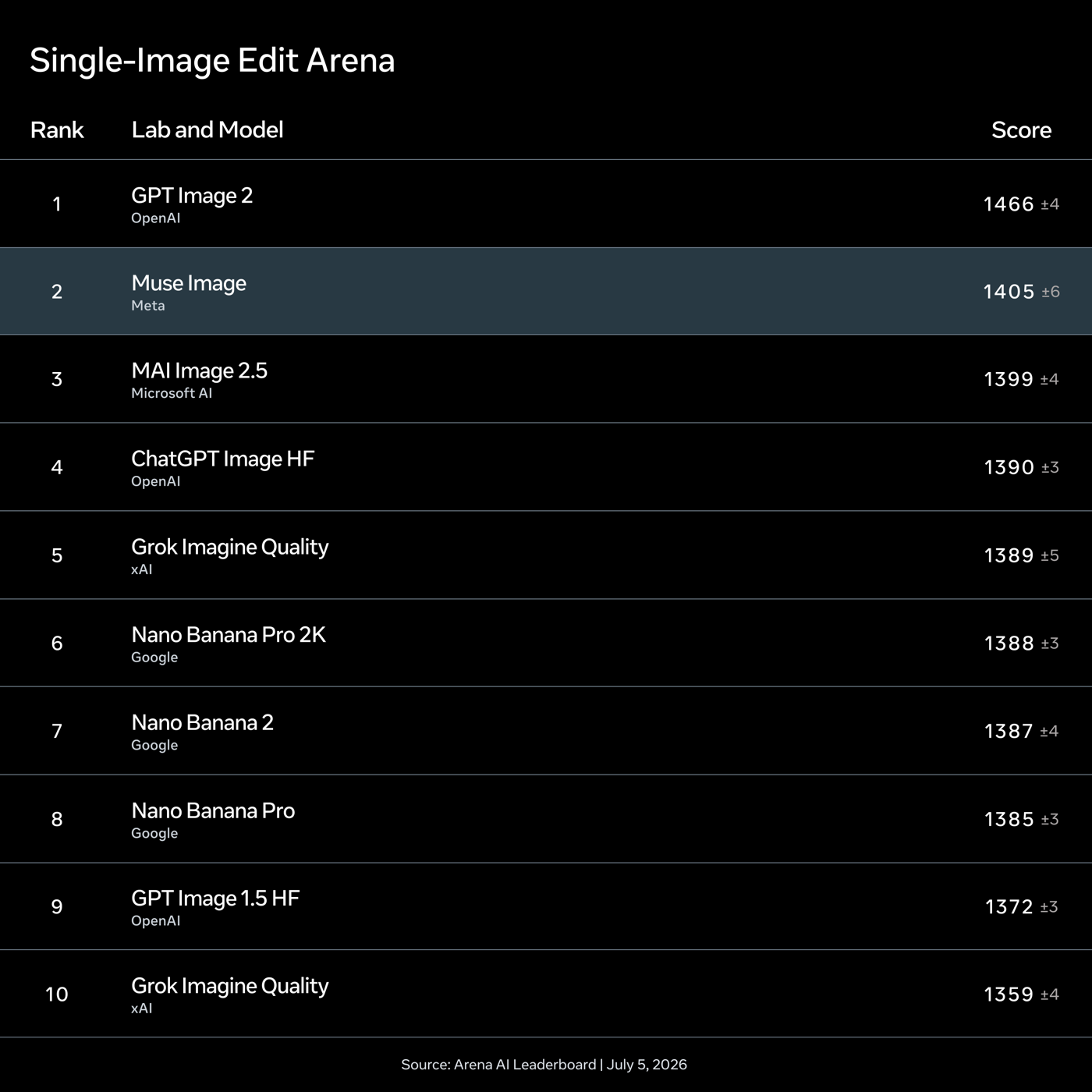
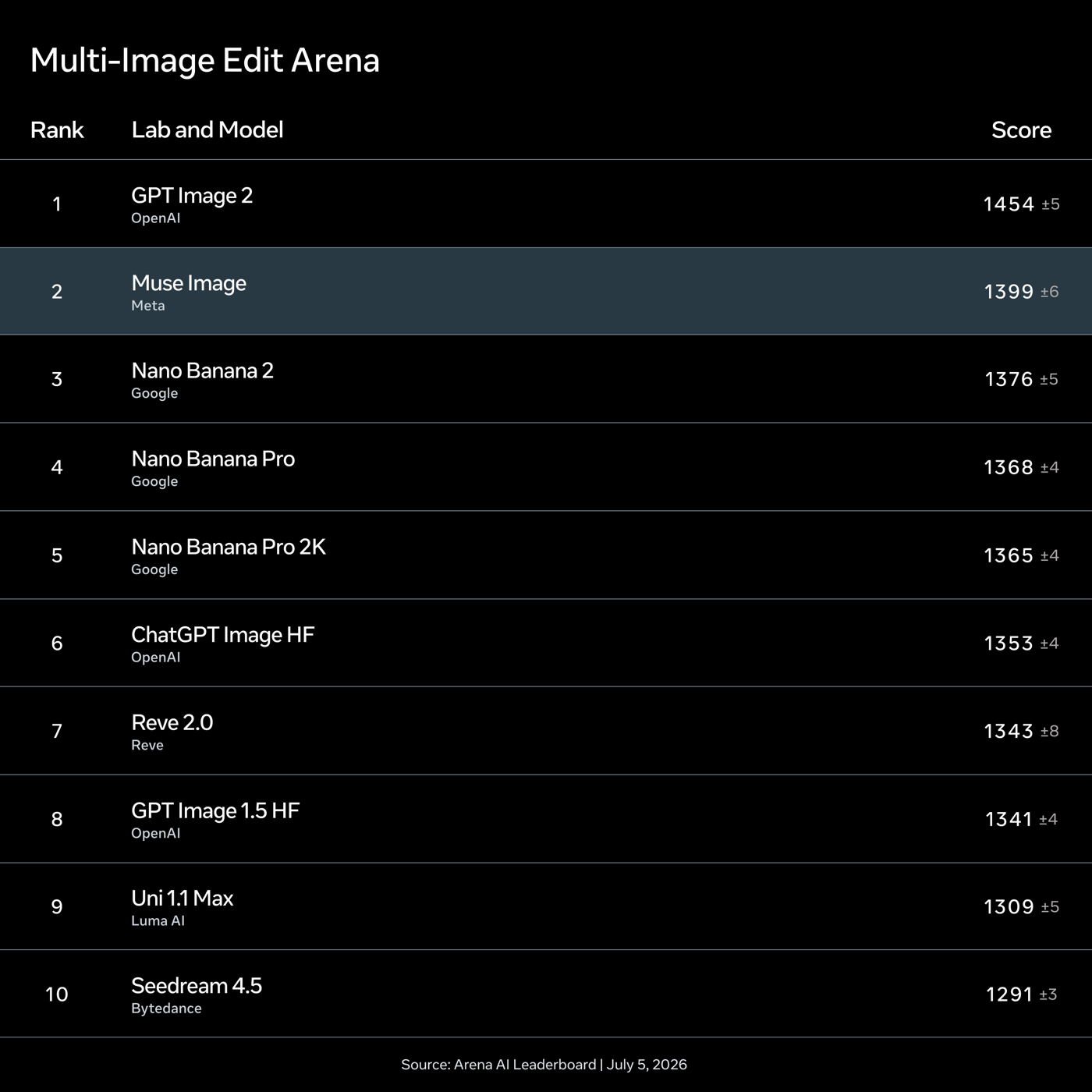
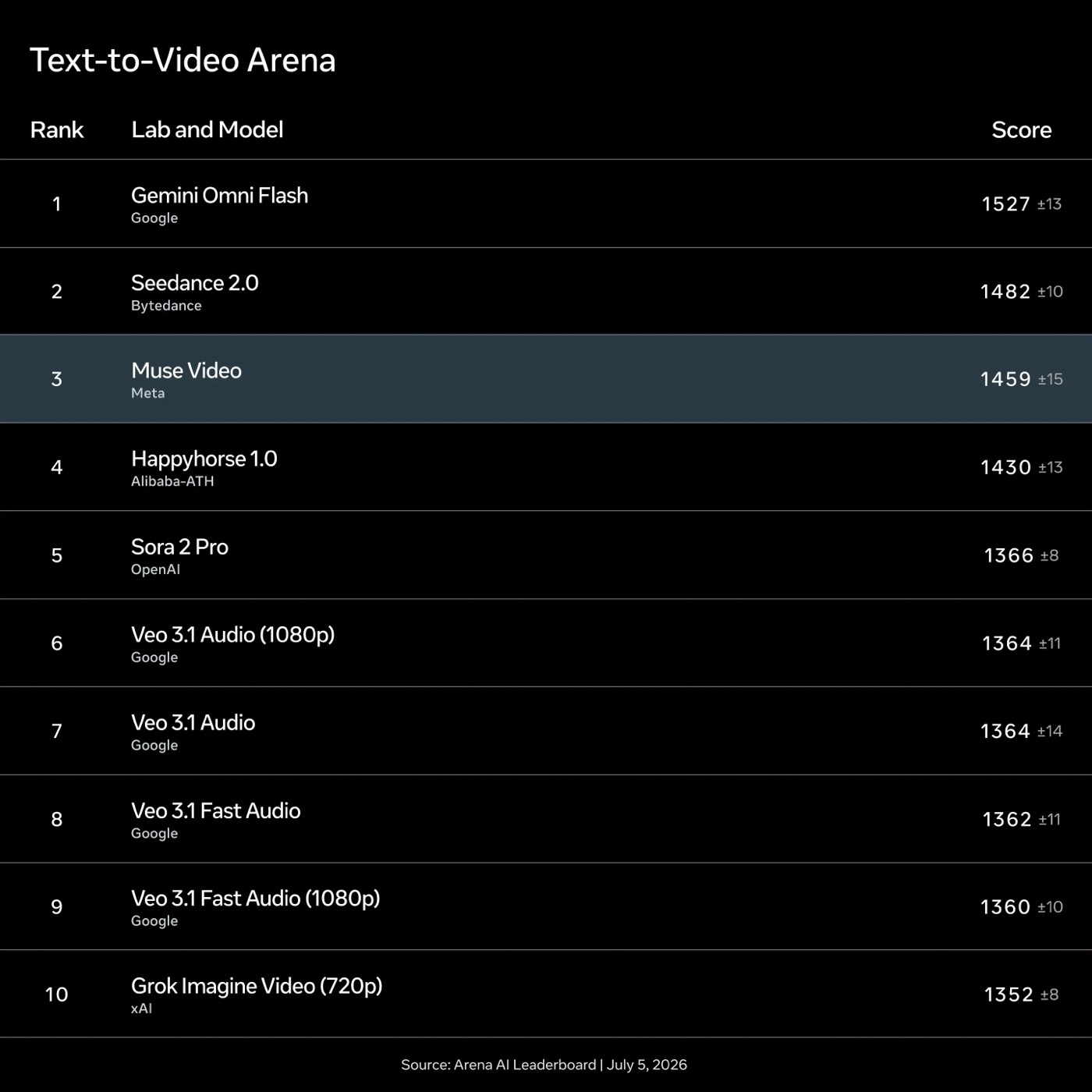
Meta's official full leaderboard (top 10): OpenAI's GPT Image 2 takes first place across all three image categories (1280–1466 points), with Muse Image right behind it in second; in video, Google's Gemini Omni Flash takes first (1527 points), ByteDance's Seedance 2.0 is second, and Muse Video ranks third (1459 points). Higher scores mean stronger human-judge preference. Source: Arena AI Leaderboard, as of July 5, 2026.
Muse Video is still a preview. Meta says it's competitive on prompt adherence, visual fidelity, and temporal consistency, and calls out two areas still being worked on: audio-visual sync and the physical accuracy of fast motion.
Who Can Use It Now, and How to Prove an Image Was Made by AI
Muse Image is already live today in the Meta AI App, meta.ai, U.S. Instagram Stories, and WhatsApp in some countries, with Facebook coming soon. Muse Video is coming soon for creators and will also be added to Meta AI, with native audio generation support.
How to Check Whether an Image Was Made by AI: Content Seal
To let people tell whether an image was AI-generated, Muse Image has Content Seal built in — an invisible watermarking system. Any image generated with Muse Image in the Meta AI App and on meta.ai carries an invisible provenance marker, one that survives cropping, compression, resizing, and screenshots. Meta has also previewed a detection tool that lets you check whether an image carries a Content Seal. A video watermark version is planned to follow soon.
What It Can Do Once Plugged into Meta's Own Products
Muse Image is tied into Meta's social ecosystem, and real-world use cases already fall into a few categories:
We didn't design this behavior. It emerged on its own during reinforcement learning training, simply because self-correction produced better images and thus earned higher rewards. Meta AI Blog · Introducing Muse Image and Muse Video