Anthropic adds Reflect to Claude: like Screen Time, but for your AI habits
- On 2026-07-09 Anthropic shipped Reflect in beta: a Settings report on how you use Claude - like "Screen Time" for AI habits.
- Look back 1 / 3 / 6 / 12 months: key topics, when you use Claude most, task types; time spent is coming later.
- More than charts: it asks boundary questions; you can set quiet hours or break nudges (both dismissible).
- Uses the 4D framework to summarize how you collaborate with Claude, with concrete tips (e.g. use a Project instead of re-explaining context).
- Free / Pro / Max with Memory on; incognito and health-related chats excluded; insights stay in Reflect. Cowork reflection is coming soon.
You already had this problem - nowhere to look
You've used Claude for months. A friend asks: "Are you too dependent on AI?"
In user interviews, Anthropic kept hearing the same questions: How should AI fit into daily life? How much is enough? When is AI right for a task - and when should a human keep it?
- Only chat logs, no overview
- "I use it a lot" - can't verify
- Faster work, blurrier boundaries
- Want to change habits - no starting point
- A readable usage report
- Topics, hours, task types laid out
- Questions that force boundary talk
- Concrete collaboration tips by dimension
Phones already have Screen Time: see first, then decide whether to cut back. Reflect does the same for how you live with Claude. It does not judge "you're addicted" - it hands you a mirror.
Three hard questions - how the report answers
Click each question to see which part of Reflect answers it. All three titles stay visible - nothing important is hidden; the click only lines up problem → capability.
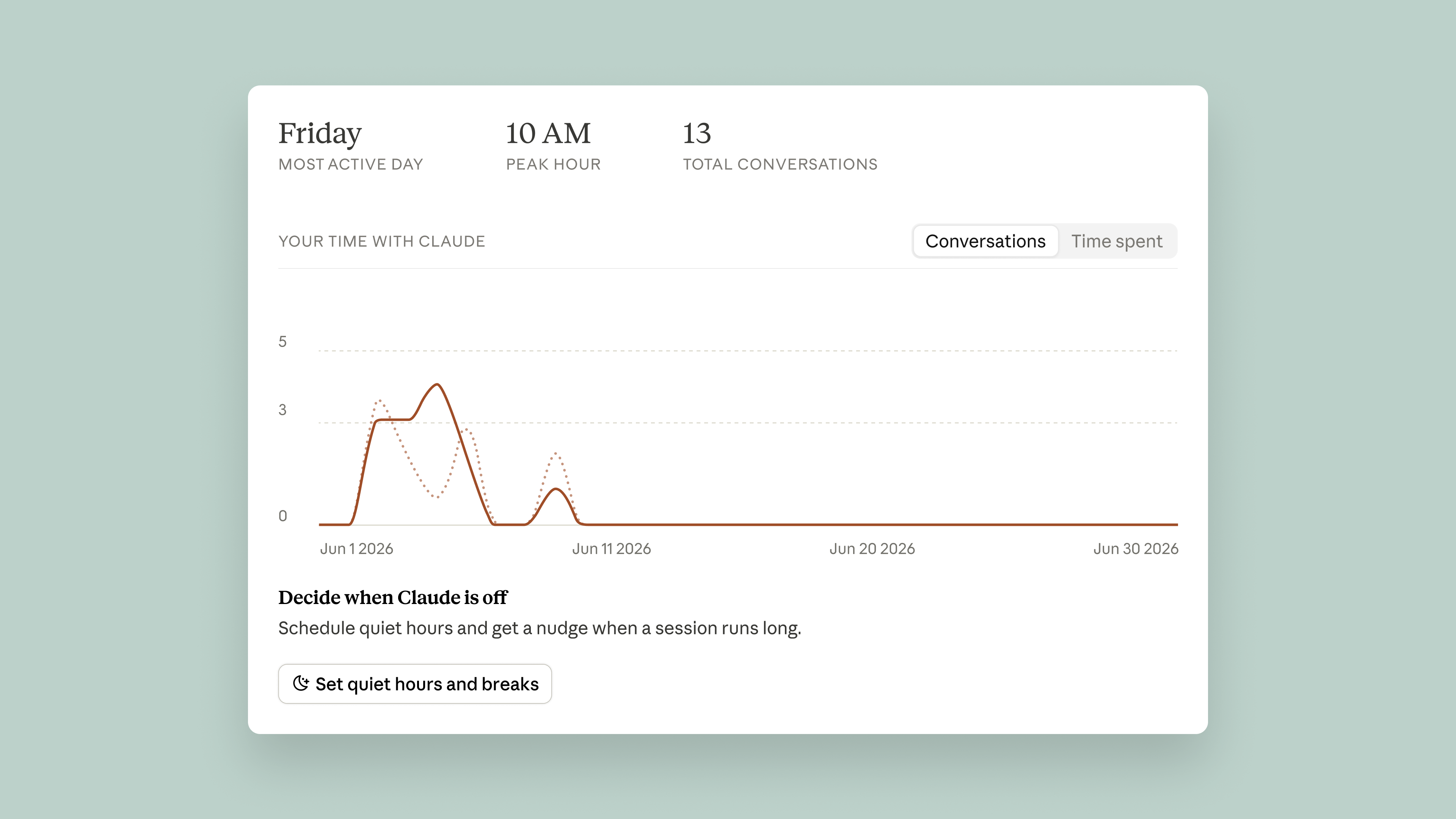
It breaks down when you use Claude most. Later it will add total time. In the dashboard you can set quiet hours or a break nudge after heavy use (both dismissible).
Seeing "still chatting hard at 2 a.m." often works better than a lecture on moderation.
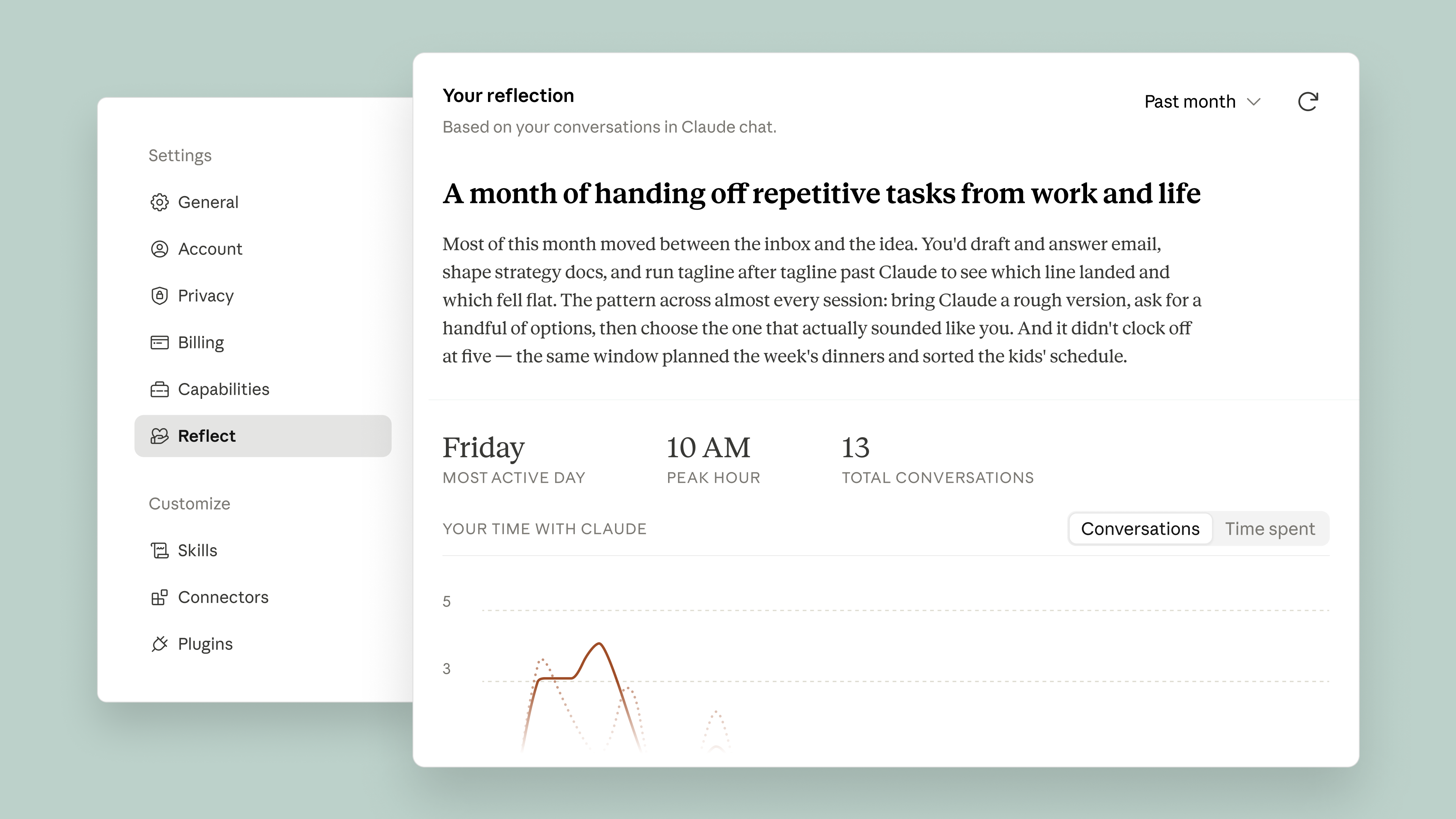
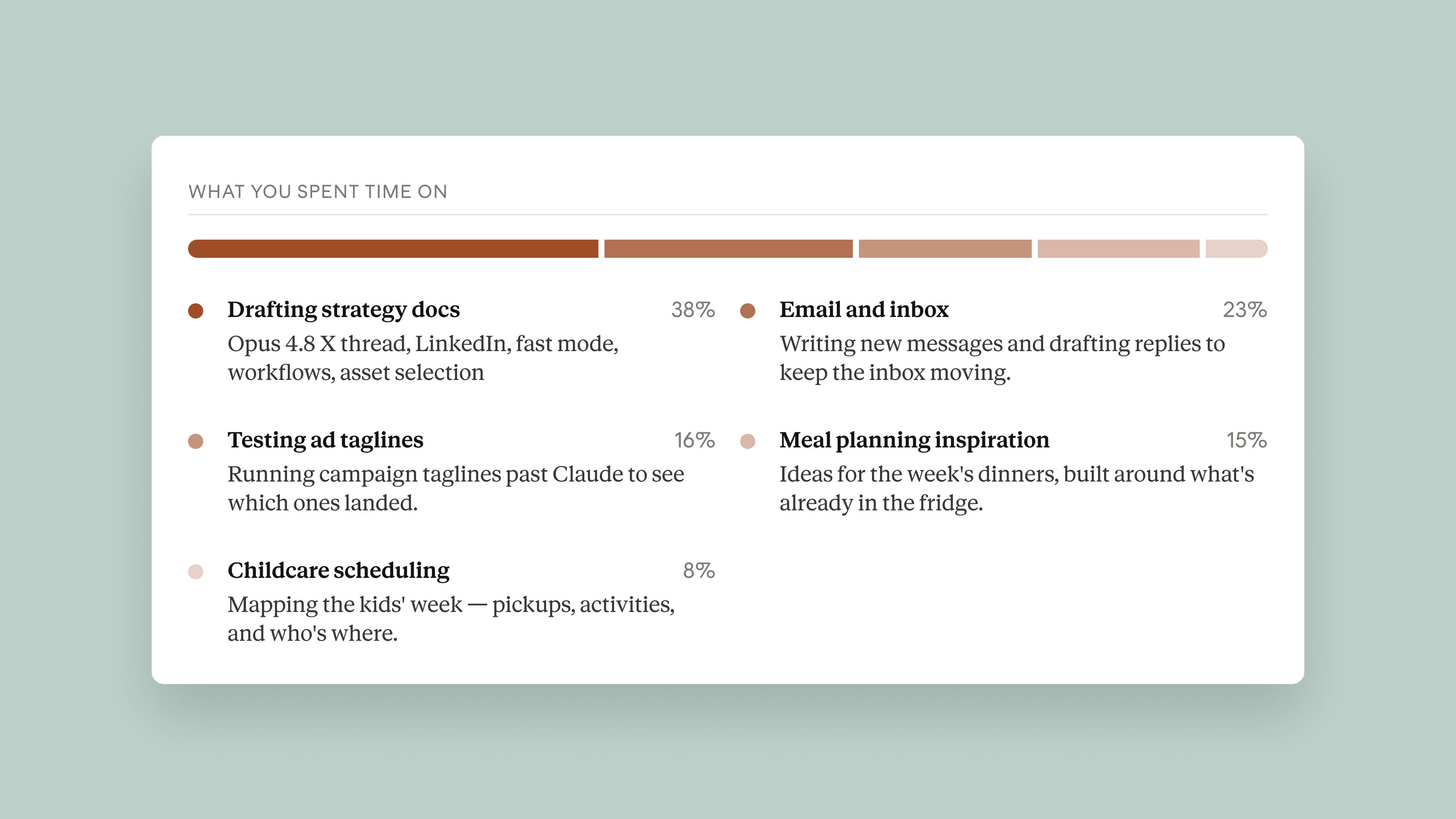
The top of the report covers key topics + task types. Switch 1 / 3 / 6 / 12 months to compare a recent sprint with longer-term habits.
If 80% of time is rewriting email and almost none is strategy - that's data, not moral judgment.
It periodically surfaces questions. The official example:
What's one thing you want to keep doing yourself, even if Claude could do it faster?
You can talk that through with Claude. The 4D summary also shows patterns like reworking drafts in your own voice, or only delegating after you set the strategy - those are the parts you still keep.
Open a report and you'll roughly see this
Path: Claude web or desktop → Settings → reflect on usage → generate. Screenshots below are official.
From seeing to working better
Reflect also scores collaboration with Anthropic's 4D AI Fluency Framework - in plain language:
Official example: do you settle strategy first, then give Claude the work - or open with "just handle it"?
Fuzzy goals → fuzzy output. The report can show if you keep re-explaining and re-prompting.
Reworking email drafts into your voice means you're still filtering - not rubber-stamping.
After AI helps, whose is the final send? The framework keeps responsibility with the human.
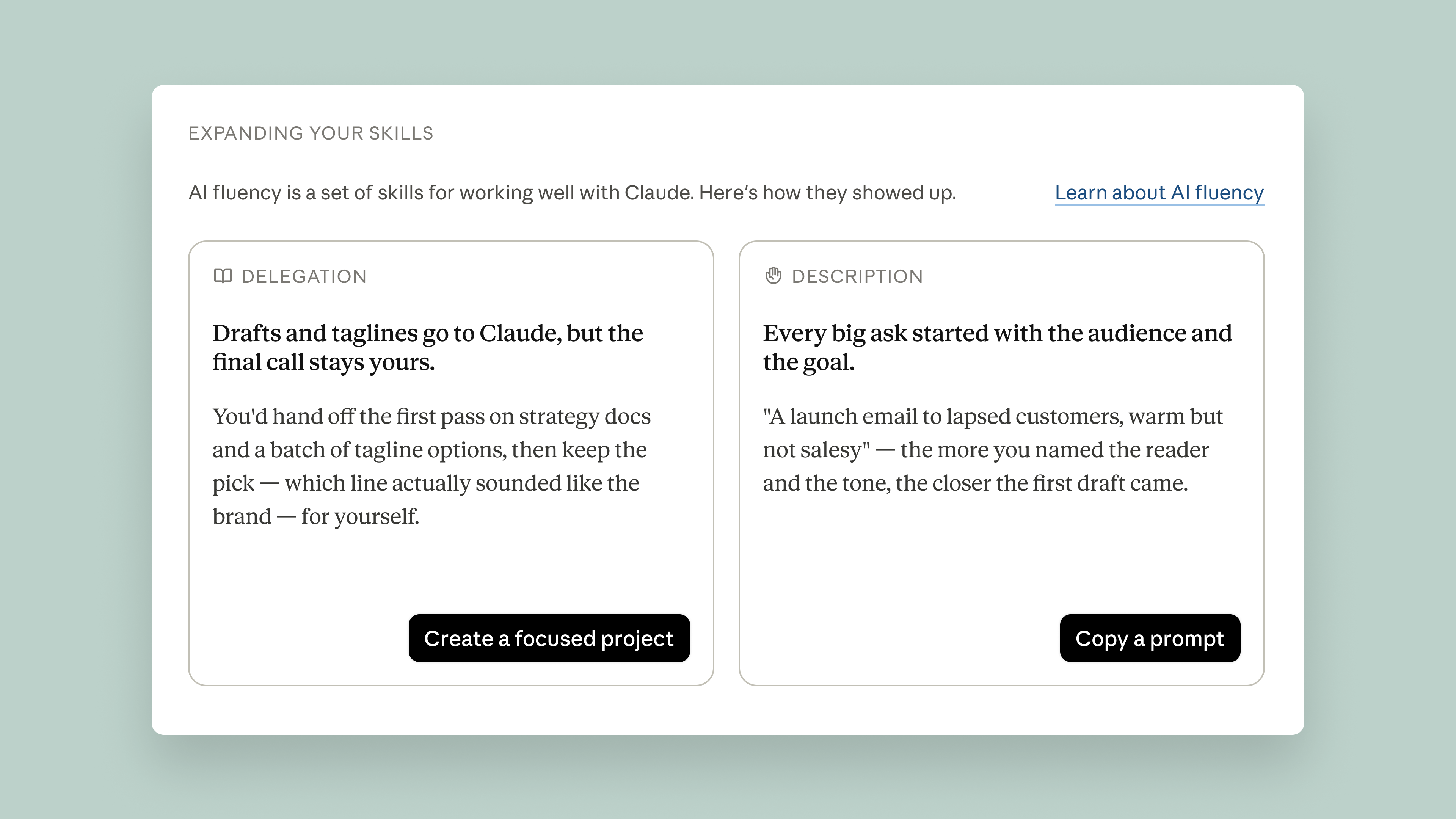
Official example: if you re-explain the same project every chat, the report may suggest a Project so long-term context lives in one place. More useful than "get better at AI."
What enters the report - and what does not
- Incognito chats stay out
- If Claude summarized your inbox, the report may note that - not the raw emails
- Chats tied to a health integration are fully excluded
- Sensitive topics may appear only at a high level; built with MIT Media Lab AHA, Boston Children's Digital Wellness Lab, Family Online Safety Institute
- Insights stay in Reflect; Anthropic says they aren't used for other purposes
Three steps
Turn Memory on
Without Memory, Reflect has nothing to compute - no report.
Generate from Settings
Web or desktop → Settings → reflect on your usage → generate.
Pick a range and act (or not)
1 / 3 / 6 / 12 months. Quiet hours and break nudges are optional.
Available on Free, Pro, Max (consumer). Cowork reflection is "coming soon." Team/Enterprise: check your Settings page.
Is this good tool use - or dependence? Start with hours and task mix.
4D examples help debate what must stay human vs what AI can take.
Read incognito / health / raw-file boundaries before turning Memory on.
If the report flags that, a Project often helps immediately.