OpenAI Launches ChatGPT Work, Powered by GPT-5.6, Auto-Produces Docs, Spreadsheets, and Slides Across Tools
- OpenAI launched ChatGPT Work, powered by GPT-5.6, built for everyday team work.
- It gathers context from your team's tools, files, and desktop apps, plans autonomously, and executes across apps to produce documents, spreadsheets, and slides that match your templates — plus Sites for building web pages, 1,400+ plugins, scheduled tasks, and Plan mode.
- Available on desktop across all paid tiers starting today; web and mobile roll out over the coming days to Plus, Pro, Business, Enterprise, and Edu.
- GPT-5.6 comes in three tiers — Sol, Terra, and Luna. OpenAI provided a hero demo, six department demo clips, and short interactive walkthroughs.
- Customer testimonials cover Virgin Atlantic, Zapier, NVIDIA, Shopify, and RingCentral (as quoted on the vendor's page).
OpenAI Brings ChatGPT Into Everyday Team Work
OpenAI recently launched ChatGPT Work, a new ChatGPT product line powered by GPT-5.6, built for everyday team work.
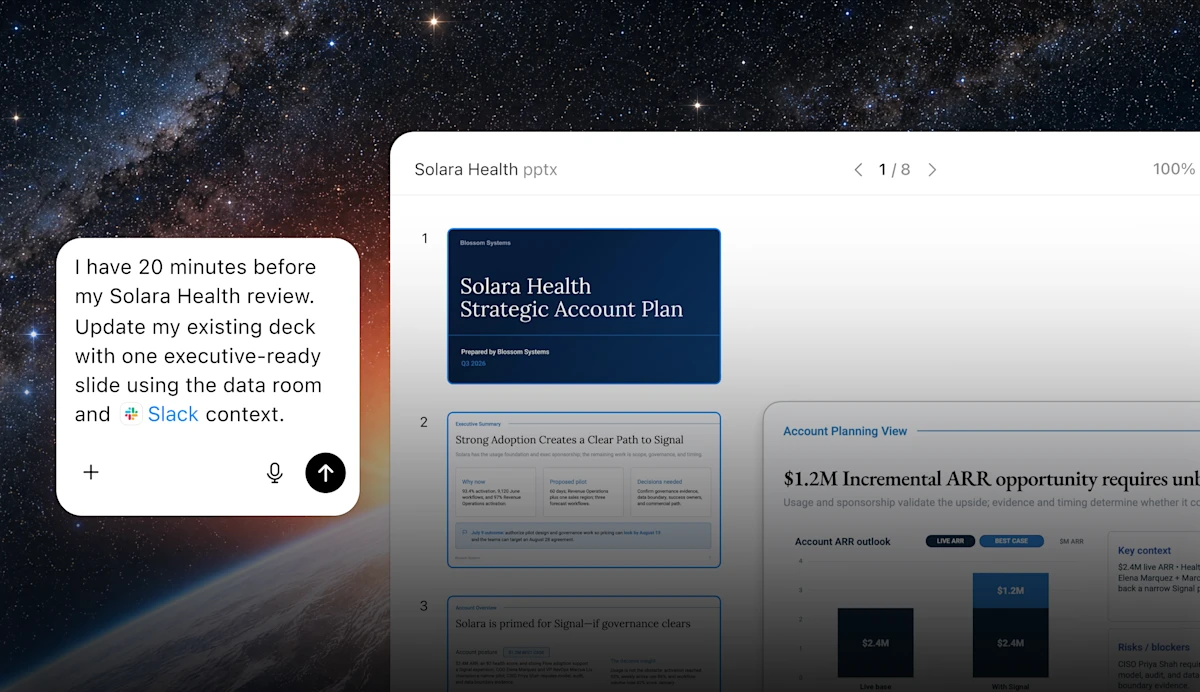
In the past, you'd ask a question and ChatGPT would give you an answer. This time, it can read context from your team's tools, files, and desktop apps, plan autonomously, complete multi-step tasks across applications, and deliver finished documents, spreadsheets, and slides that match your company's templates and formats.
From Scattered Material to a Finished Document — What Happens In Between
Per OpenAI's own description, ChatGPT Work does one job in four steps: gather context, figure out the approach, act across tools, then deliver the finished product.
What Work It Can Actually Take Off Your Plate
The middle of the product page has six expandable capability sections. Here they are laid out as written, without embellishment.
Turns context from your tools and files into documents, presentations, and analysis that match your team's templates and formatting preferences.
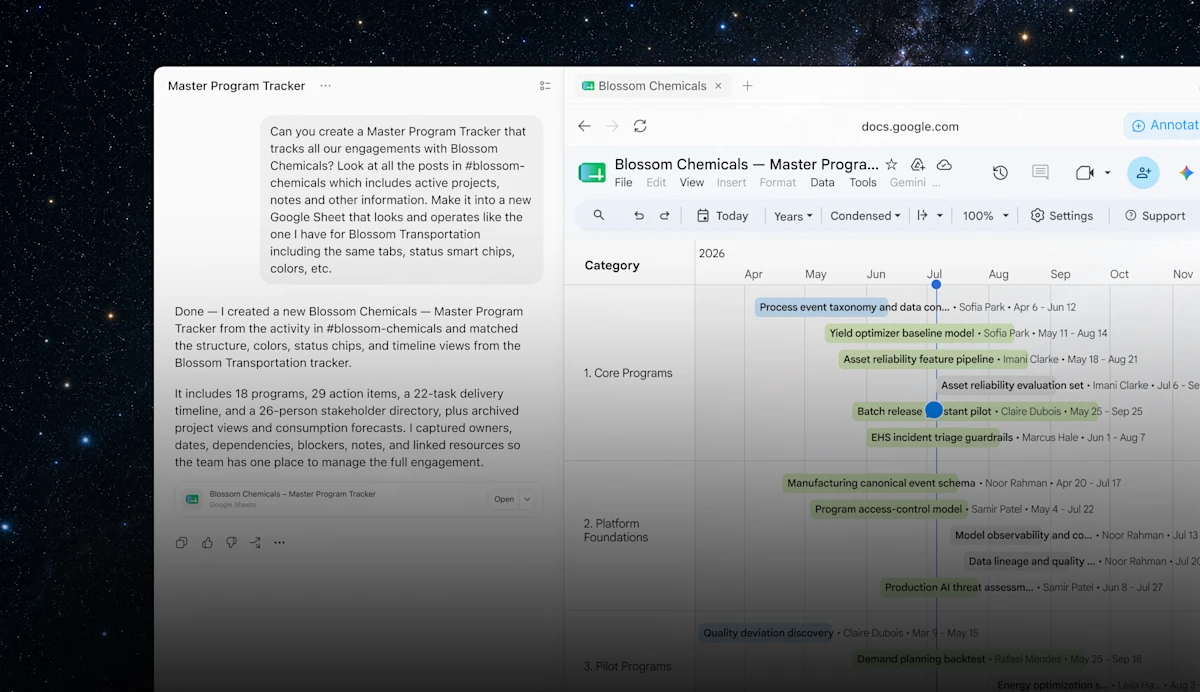
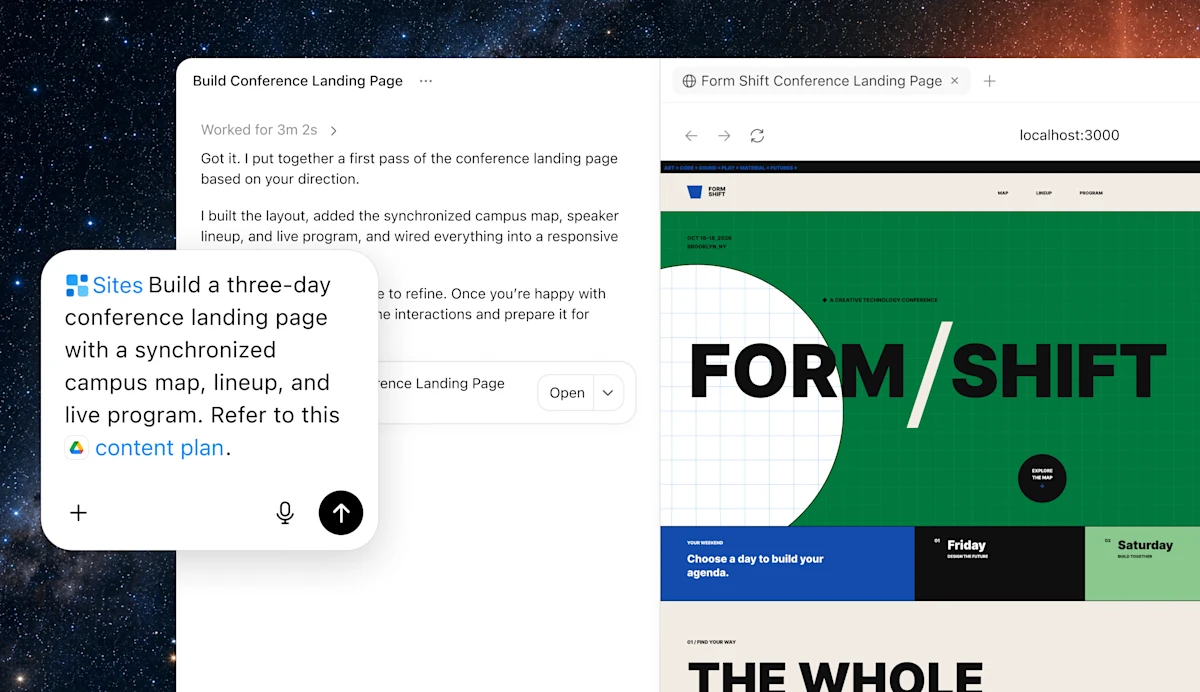
Sites turns ideas, plans, and data into shareable websites and web apps: dashboards, project trackers, release calendars, prototypes, reports, and more — and keeps them current as information changes.
OpenAI states there are over 1,400 plugins available, pulling context from your existing tools and workflows to move projects forward.
Create one-time or recurring tasks to watch for updates and track progress; check in from your phone even when away from your desk. Web and mobile access is rolling out to Plus, Pro, Business, and Enterprise users.
The ChatGPT desktop app includes a built-in browser experience with multi-tab support, making it easier to collaborate on longer workflows across tools, files, and accounts.
Plan mode gathers context, asks questions, and lays out a step-by-step plan first; you can revise the plan and approve it before execution begins.
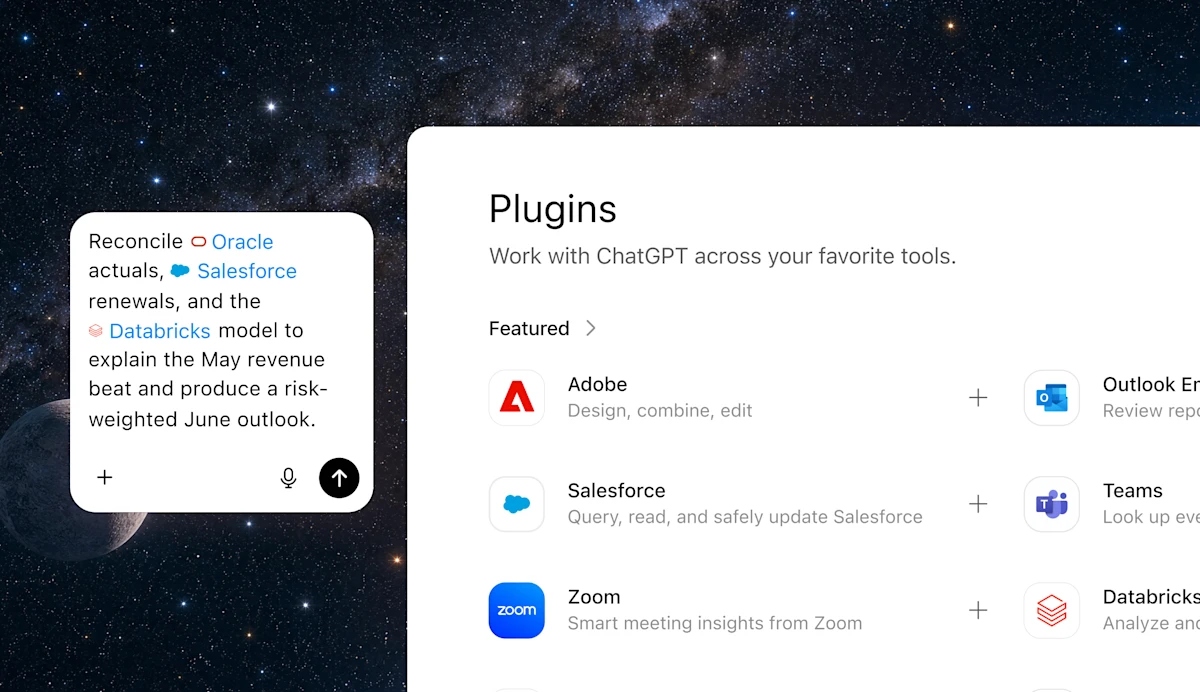
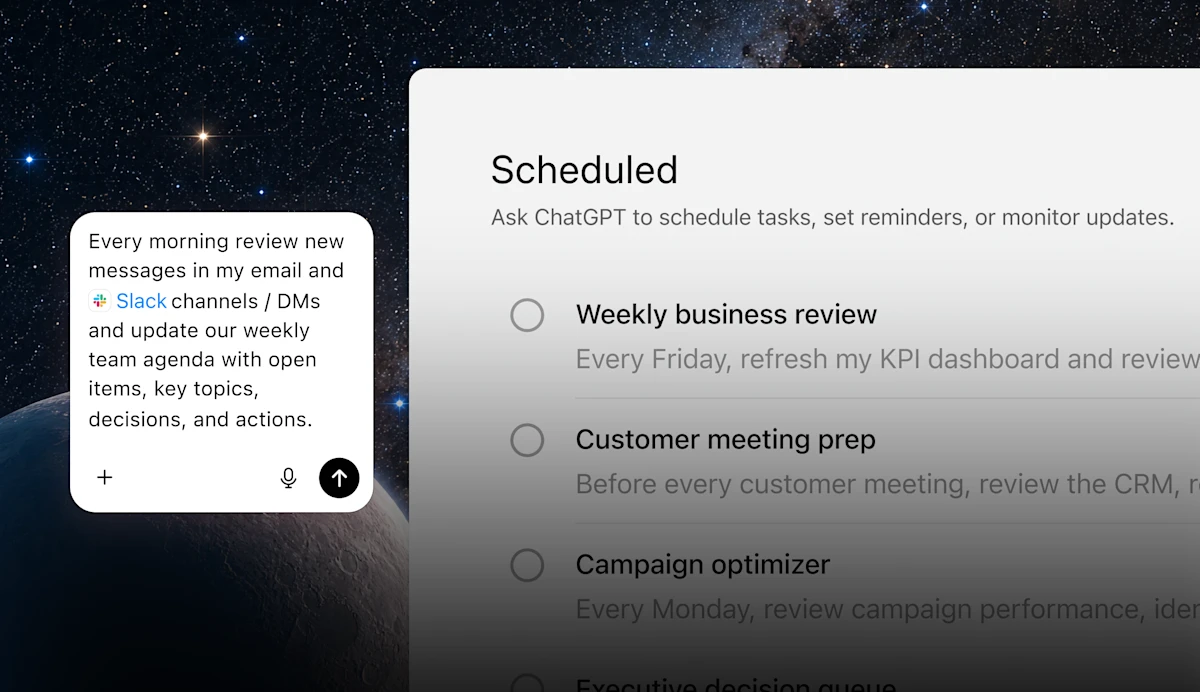
What Finance, Ops, Marketing, Sales, Data, and Engineering Each Get Out of It
The "Expand what every team can do" section of the product page features six tabs, each with a looping demo clip. Click a department name to switch; hit play to watch.
Where GPT-5.6 Fits Into This Product Line
ChatGPT Work runs on GPT-5.6. OpenAI describes it as its most intelligent model series for professional work, with three versions in the series: Sol, Terra, and Luna.
These are the three model version names under the GPT-5.6 series. OpenAI has only listed the three names here without explaining how they differ in speed, capability, or intended use case on this page — think of them as three model options for different kinds of tasks. More detail is available on the GPT-5.6 research launch page.
The same section includes three short "interactive walkthrough" clips showing how the model turns abstract concepts into working tools or worksheets:
OpenAI's own positioning: give GPT-5.6 Sol, Terra, or Luna a goal, and it can handle uncertainty, adjust its approach as the work progresses, and deliver finished work with fewer prompts. For more research detail, see the GPT-5.6 launch page.
Five Customer Quotes From the Page
The following are all pulled from the product page's "Trusted by leading teams" section — vendor-supplied customer statements, not interviews conducted by this site.
Virgin Atlantic hands it structured customer journeys, letting it research competitor experiences and produce comparative data; a competitive analysis cycle that used to take weeks now takes hours.
Zapier turned what used to be a 35-45 minute manual check per lead — spanning HubSpot, Gong, and email — into a QA analysis system that tracks touchpoints, flags drop-off points, and rolls up into a weekly executive dashboard.
NVIDIA's GTC event went from manually pulling registration lists and feedback out of a mountain of spreadsheets to a reusable automated workflow across regions; roughly 40% of the time used to go into manual number-crunching and analysis.
Shopify treats it as an AI-powered operating layer: pulling context from Slack and active projects daily to generate follow-ups, and running surveys and interview analysis across roughly 3,500 non-engineering employees.
RingCentral rolled up scattered PMO knowledge, customer signals, product issues, and execution risk into a shared view; an early-access tracking program grew from about 6 pilot customers to about 80.
Who Gets It Now, and Who's Waiting a Few More Days
The rollout comes in two stages.
There's an Event to Go With It
If you want to get hands-on, OpenAI is also running Build Week: an online build challenge, global events, and livestreams for developers and teams who want to try ChatGPT Work and GPT-5.6. The same page also has sign-up links for an Executive webinar and Build Hour.

Powered by GPT-5.6, ChatGPT Work pulls together context from your team's tools, turning scattered notes, drafts, and ideas into finished work — while keeping you in control as projects move forward. OpenAI · ChatGPT Work product page