Qwen releases Qwen-Image-3.0: one 3,000-character prompt, nine infographics and a full newspaper page in a single pass
- Newspaper layouts, nine-panel teaching charts, short-drama storyboards — text-heavy images like these used to require generating one cell at a time and stitching them together. Tongyi's Qwen-Image-3.0 raises the single-prompt cap to 4.5k tokens (roughly 3,000 Chinese characters), putting nine unrelated subjects into one image in a single pass.
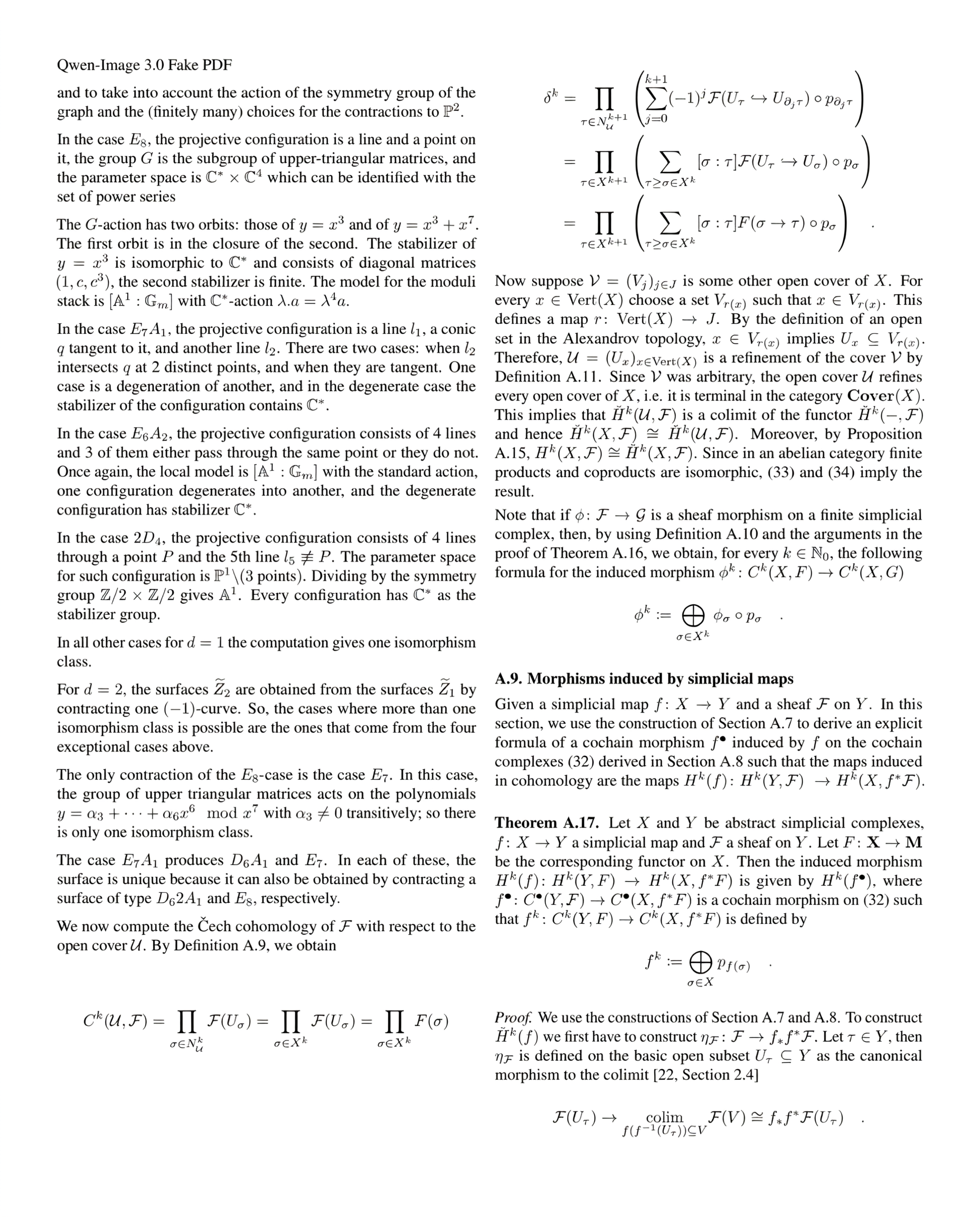
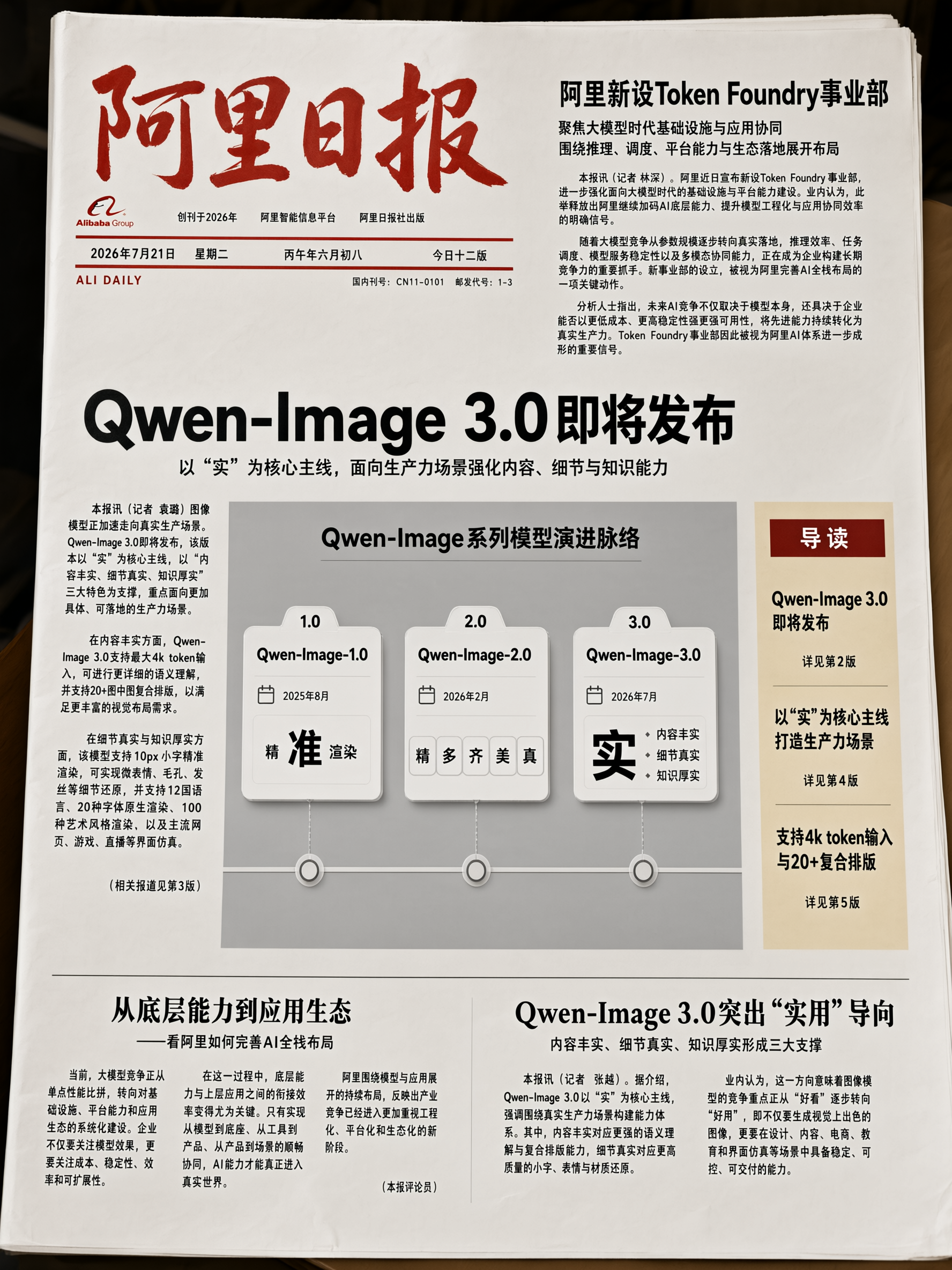
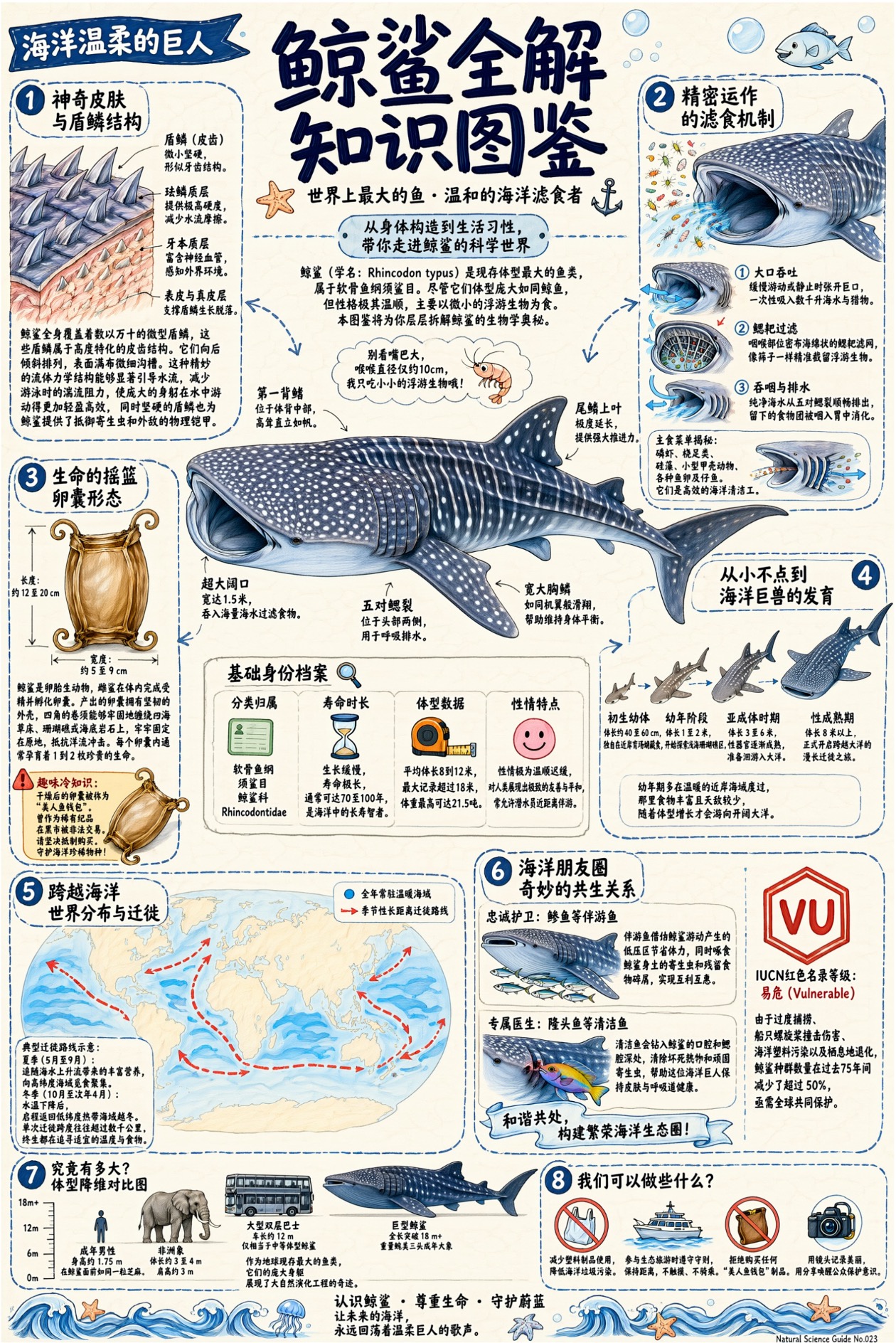
- The smallest legible type size reaches 10px, holding up across a full newspaper front page, an entire LaTeX paper, and a densely packed eight-section reference chart.
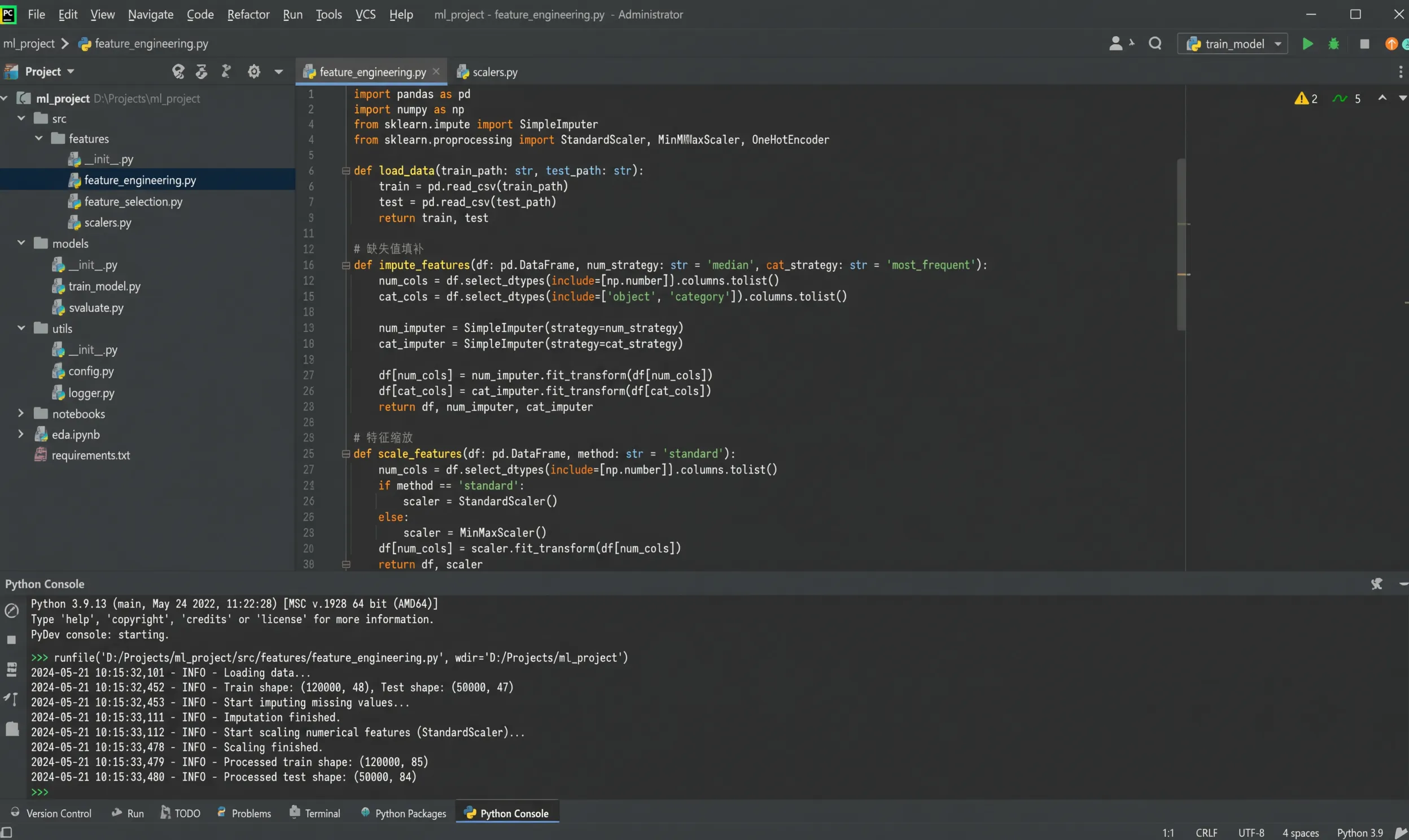
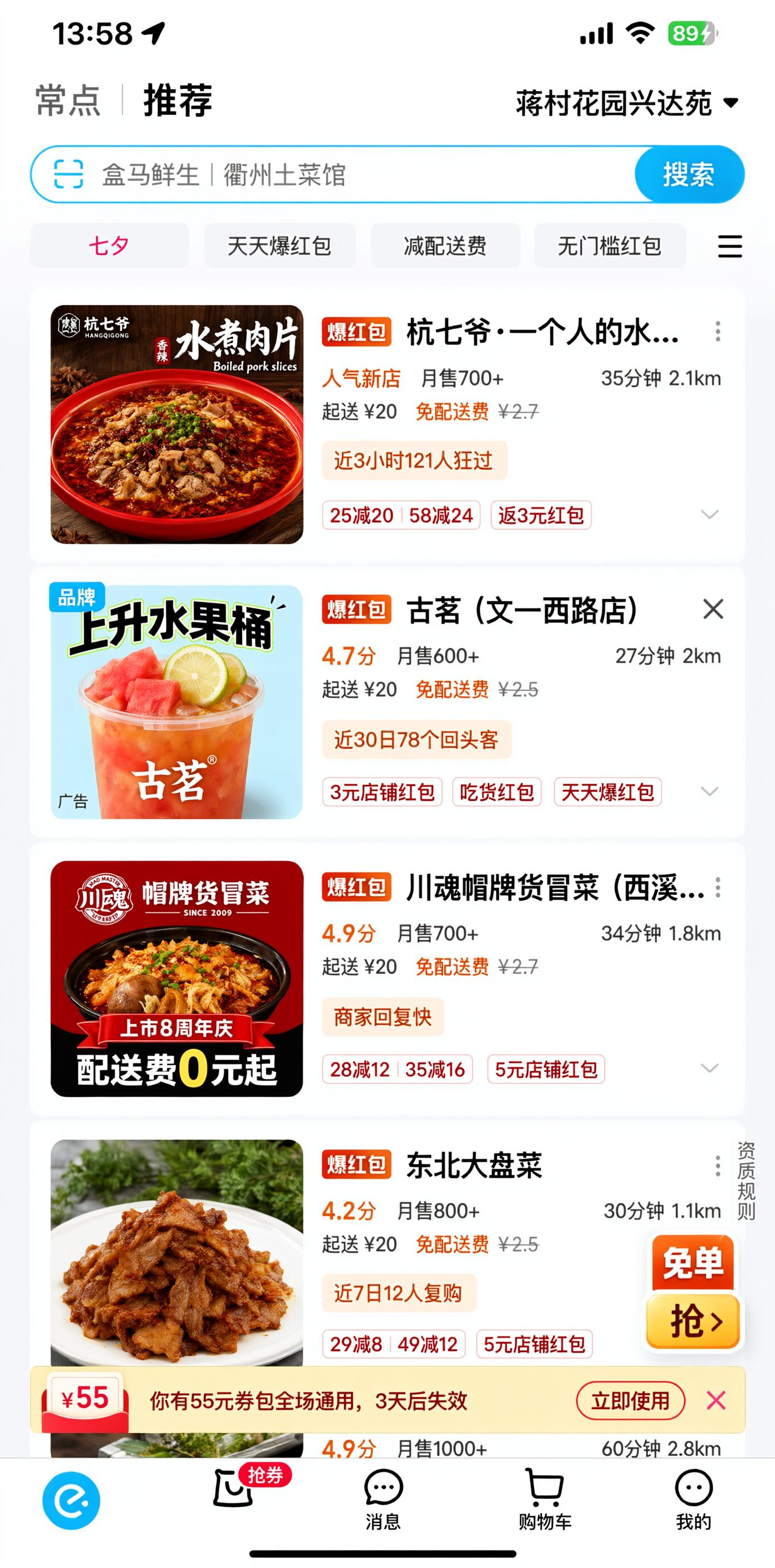
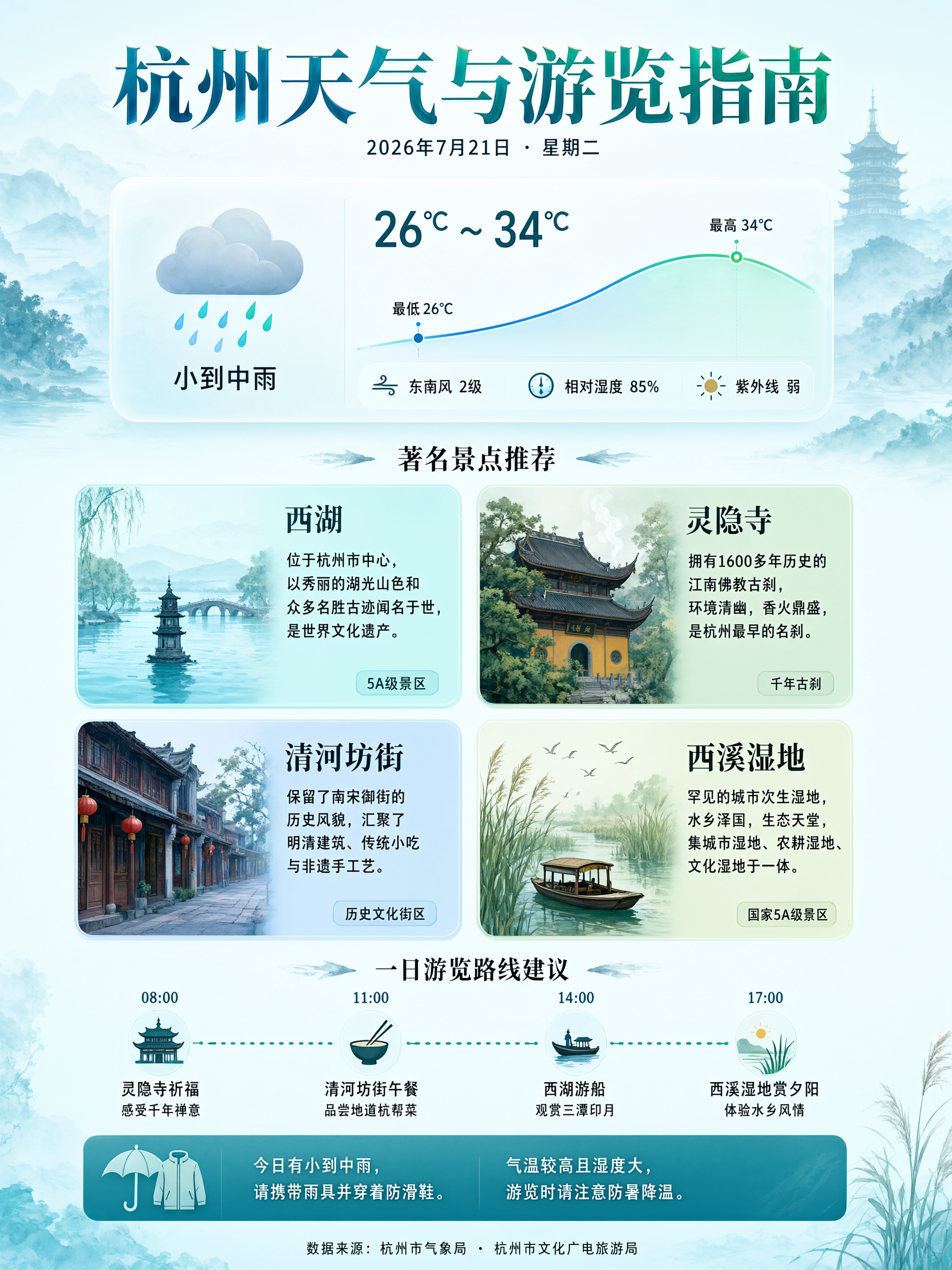
- On coverage: native rendering in 12 languages, 100+ artistic styles, and faithful mockups of interfaces like developer tools and food-delivery apps. It can also pull live information to build an image, such as generating a same-day weather and sightseeing guide.
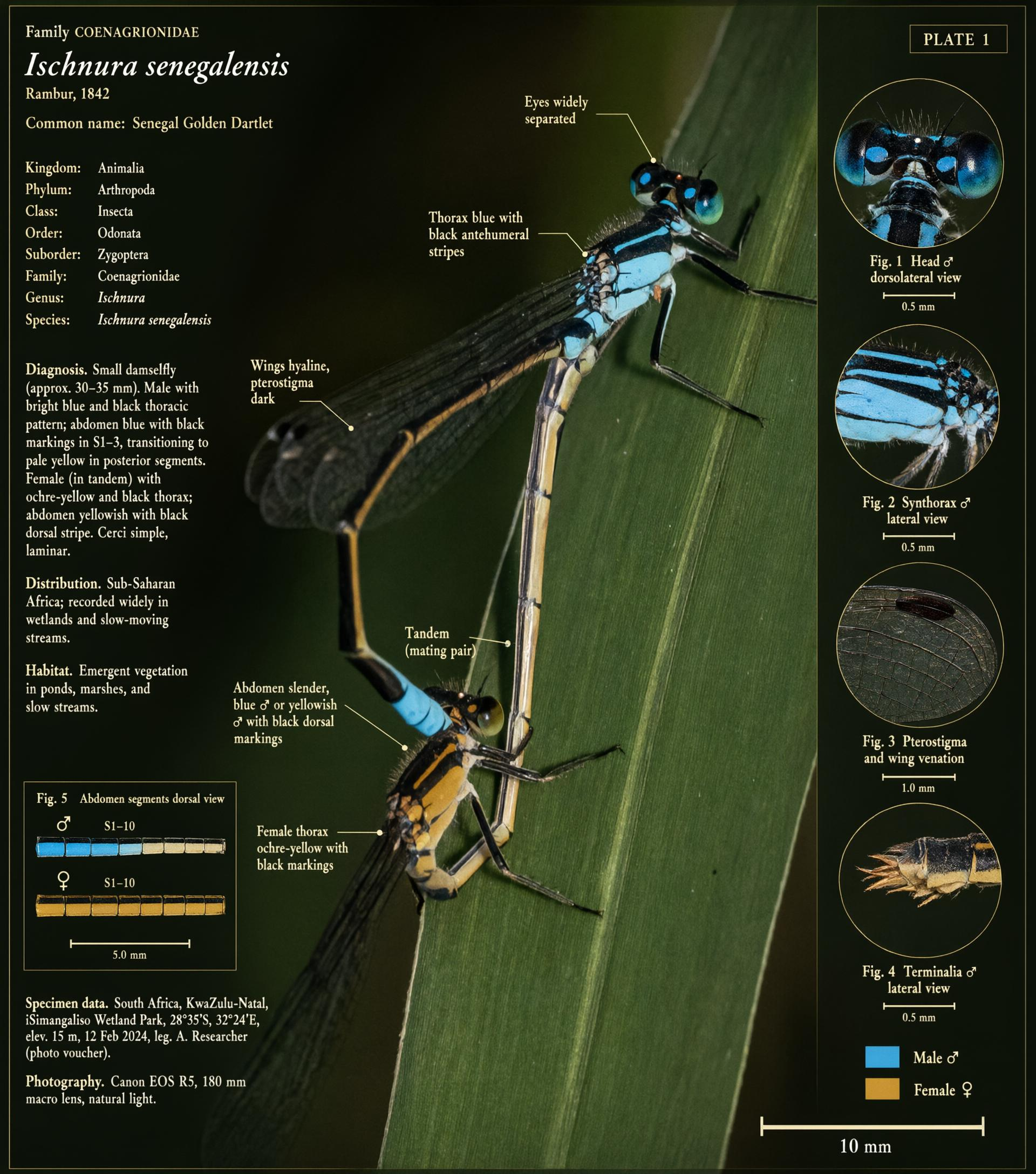
- Generation and editing live in the same model: add red-pen annotations to an existing book page, restore a damaged classical painting, overlay scientific labels on a real photo. Give it a character sheet and a location, and it lays out a 12-panel storyboard complete with shot size, duration, and camera-move notes.
- Alibaba Cloud's Bailian already lists qwen-image-3.0-pro, free for a limited time; the previous-generation pro was 0.5 RMB per image. Open weights still stop at Qwen-Image-2512 from 2025-12-30 — neither 3.0 nor February's 2.0 has been released.
Each generation of the model has had one keyword — this one's is "substance"
Alibaba's Tongyi team released Qwen-Image-3.0 on July 21 — the third-generation foundation model in the Qwen-Image line.
Every generation of this line has summed itself up in a phrase. The first, released last August, was "accurate" — the whole point was getting text right. The second, released this February, was "accurate, versatile, consistent, beautiful, real" — it folded generation and editing into one model and supported 1k-token prompts at 2K resolution. This generation compresses down to one word: substance.
"Substance" breaks into three parts, and together they make up the entire capability list for this update.
- 4.5k-token prompt cap
- Lateral: multiple subjects side by side
- Depth: interfaces nested layer within layer
- Newspapers, storyboards, exam sheets, direct
- Precise rendering down to 10px text
- Pore- and strand-level rendering
- Material and paper texture
- Small text holds up in editing too
- Native rendering in 12 languages
- 100+ art styles
- Simulates web, game, livestream UIs
- Pulls current world knowledge online
Qwen frames this update's direction as a shift from "looking good" to "being useful," aimed at working scenarios like newspaper layouts, short-drama storyboards, and complex interface mockups. Here's each of the three broken down.
Prompt cap raised to 4.5k tokens — a whole complex layout, spelled out in one go
A single prompt can now hold up to 4.5k tokens — roughly 3,000 Chinese characters, up from 1k in the last generation. How long a prompt can run directly determines how many things can be arranged in one image.
The middle bar is the number spelled out in Alibaba Cloud Bailian's API docs: the qwen-image-2.0 line caps prompts at 1300 tokens, other models at 800, with anything past that simply truncated.
When prompts were short, a complex layout had to be drawn in pieces and stitched together. Nine subjects, each with its own title, body text, formulas, and character actions — a thousand characters couldn't even cover half of that. Raising the cap to around three thousand is what turns this kind of job from piecemeal collage into a single pass.
Qwen's proof point here is a nine-panel grid, whose description ran to 3.7k tokens.
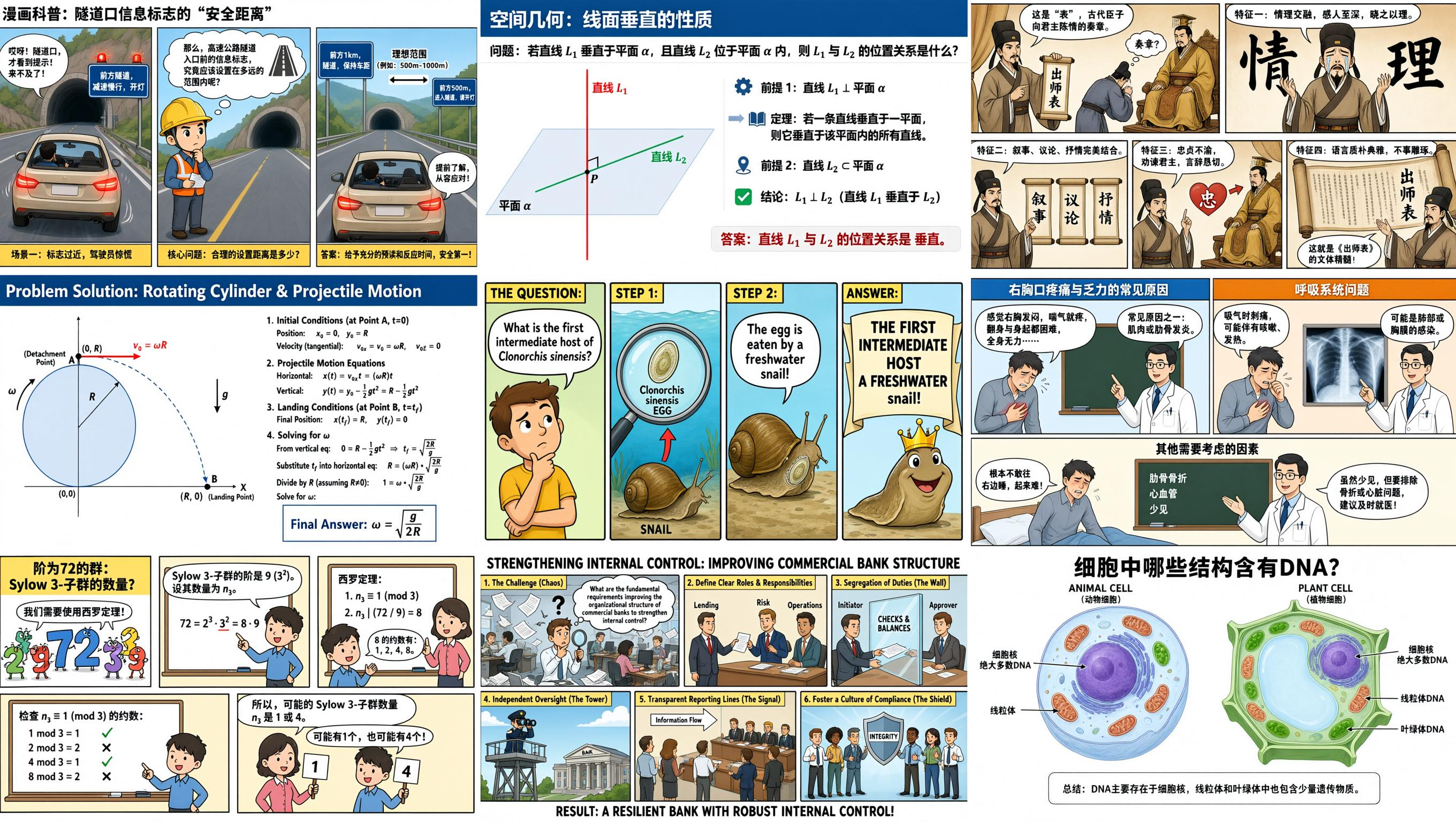
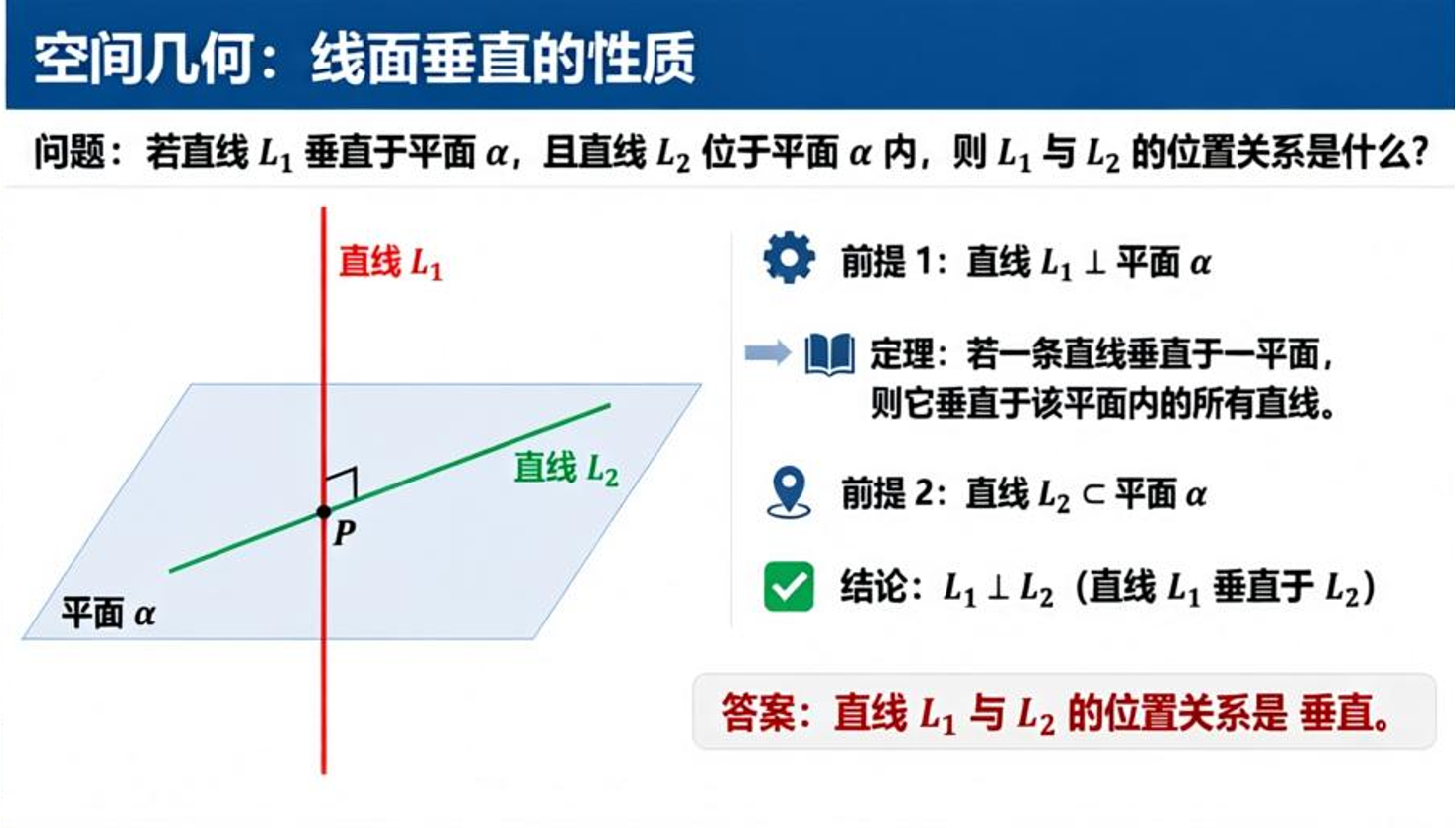
Pull out any single panel and it stands on its own. The upper-middle one is a complete spatial-geometry teaching page — problem, premises, theorem, and conclusion, all present.
Worth noting: the derivations in these panels aren't just for show. The group-theory panel works out how many Sylow 3-subgroups a group of order 72 has — factoring 72 into 8 times 9, applying the constraint that the count must be congruent to 1 mod 3 and divide 8, and landing on an answer of 1 or 4. The whole chain holds up. The physics panel derives the angular velocity formula from an object's initial velocity at the point of release, and the landing-time and displacement substitutions in between check out too.
Spatial control, two directions: side-by-side layout, and layer-by-layer nesting
Lateral spread tests semantic juxtaposition: multiple unrelated concepts appear on the same canvas at once, each holding its own territory without content bleeding across. Depth tests logical nesting: one image draws several layers of interface from outside in, and each layer keeps its own distinct look.
The nine-panel grid in the last section proved lateral spread. The depth example is a single prompt producing four nested layers: a VSCode editor on the outside, a Qwen chat window open inside it, a WeChat screenshot inside that chat, and a pour-over coffee process poster shared inside that WeChat conversation.
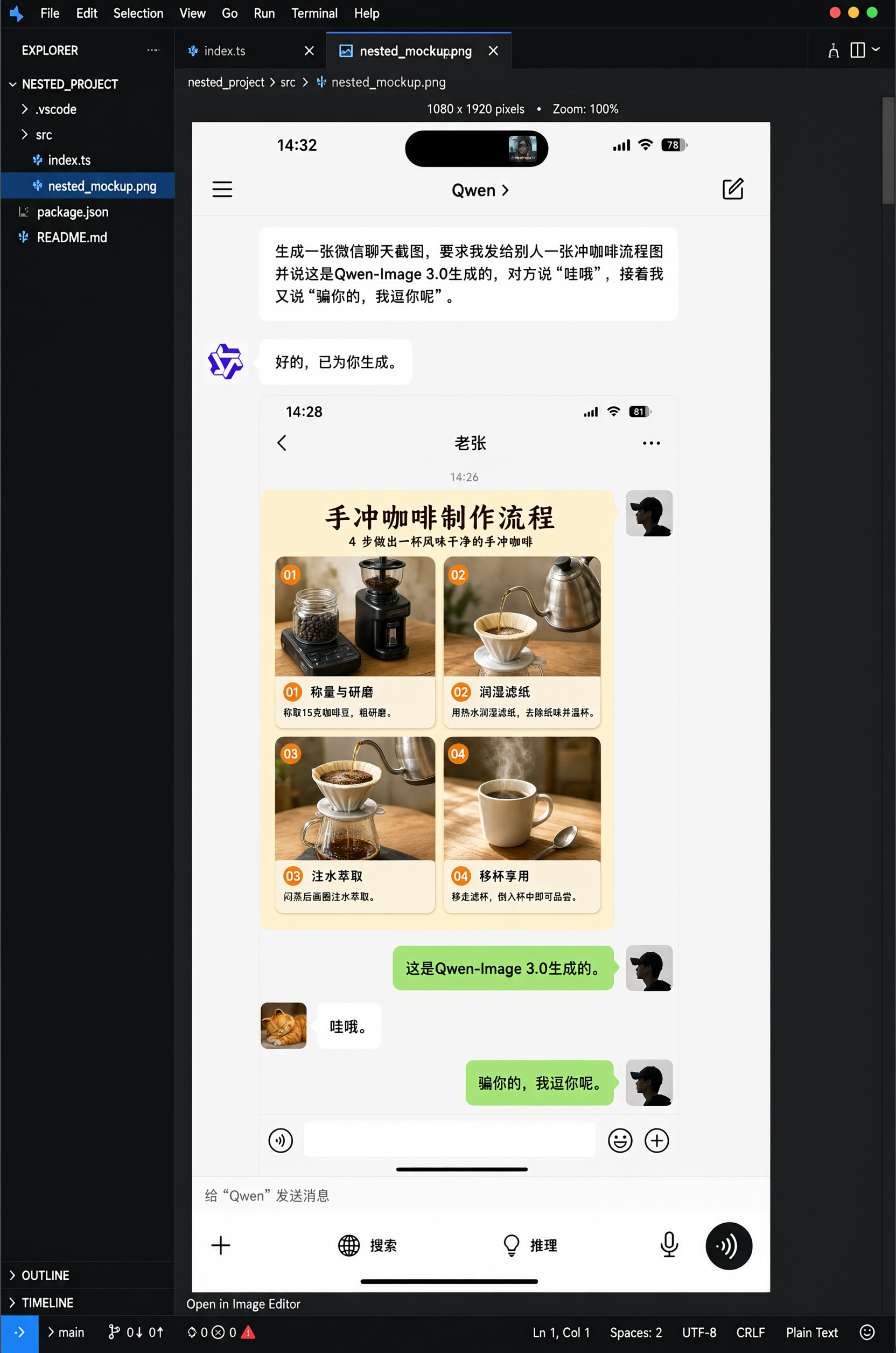
These two directions serve different jobs. Lateral spread handles multi-column layouts — newspapers, exam sheets, teaching wall charts, product comparison pages. Depth handles product-demo decks and interface sequences, showing how a feature jumps from one piece of software to another. What used to take three screenshots stitched together now takes one prompt.
Smallest legible text hits 10px — enough to lay out a full newspaper page or a whole paper
10px is the floor for body-text-sized copy. At that scale, characters easily blur into a gray smear and strokes tend to merge. Holding up at this size is what makes dense text layouts possible at all.
Three kinds of work depend most on this capability.
1. Formula-dense academic layouts
The hard part of LaTeX layout is that superscripts, subscripts, braces, fraction bars, Greek letters, and multi-line alignment all show up at once — miss any one position by half a grid step and it shows.
2. Newspaper layout
A newspaper front page has a lot that has to work at once: the calligraphic strokes of the masthead, the dividing lines in the date bar, the headline hierarchy across several stories, a chart card in the middle, a reading-guide column on the right, and the baseline alignment of body text in every column. Miss any one and it stops looking like a newspaper.
3. High-density science infographics
This kind of image crams body text, leader-line labels, a legend, and a scale bar all together, with text pushed down to the smallest size — and every label still has to point to the right spot.
Pores, hair strands, and material textures all hold up to a close look
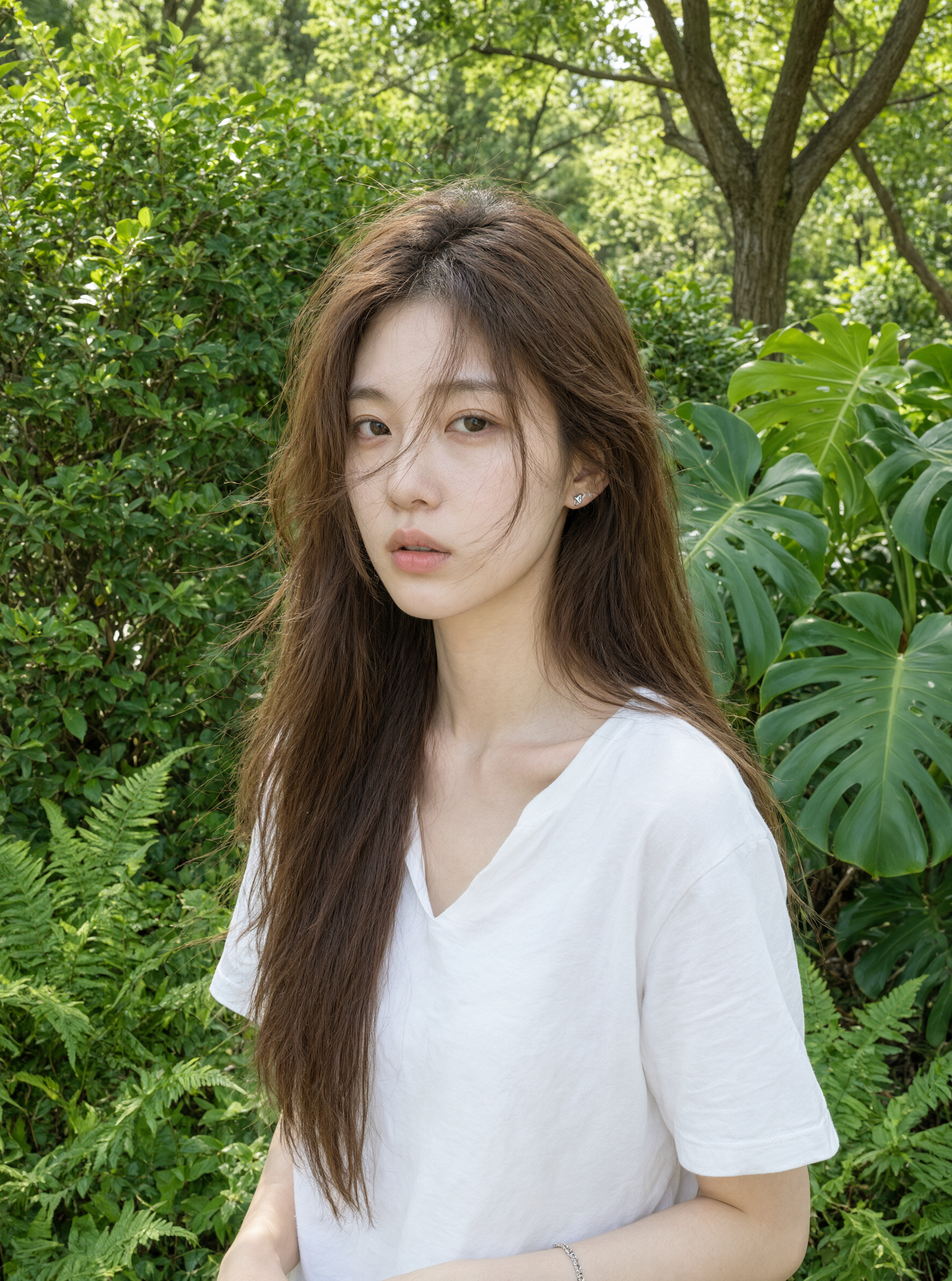
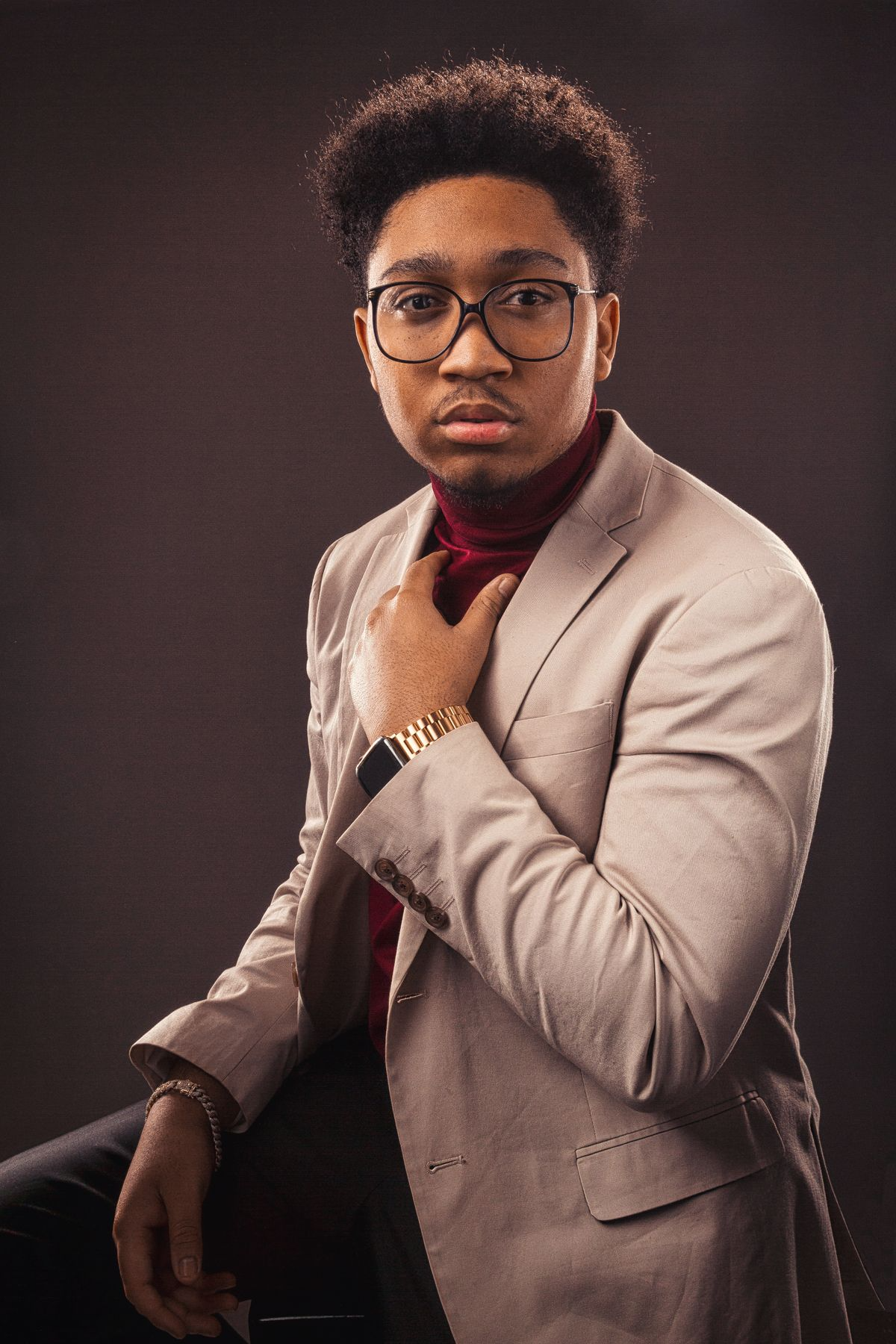
Micro-level rendering: portraits get pore, fine-hair, and skin-highlight gradation; non-portrait objects get the structure and reflectivity of the material itself. This is what decides whether a generated image can be used as a finished asset.
Portraits: the harder the light, the harder to hide flaws
Hard light pushes every bump and pore on the skin into plain view, and shadow edges can't be allowed to blur. The image below also has a floral-branch shadow cast across the face — the detail right at the light-dark boundary is where the real test is.
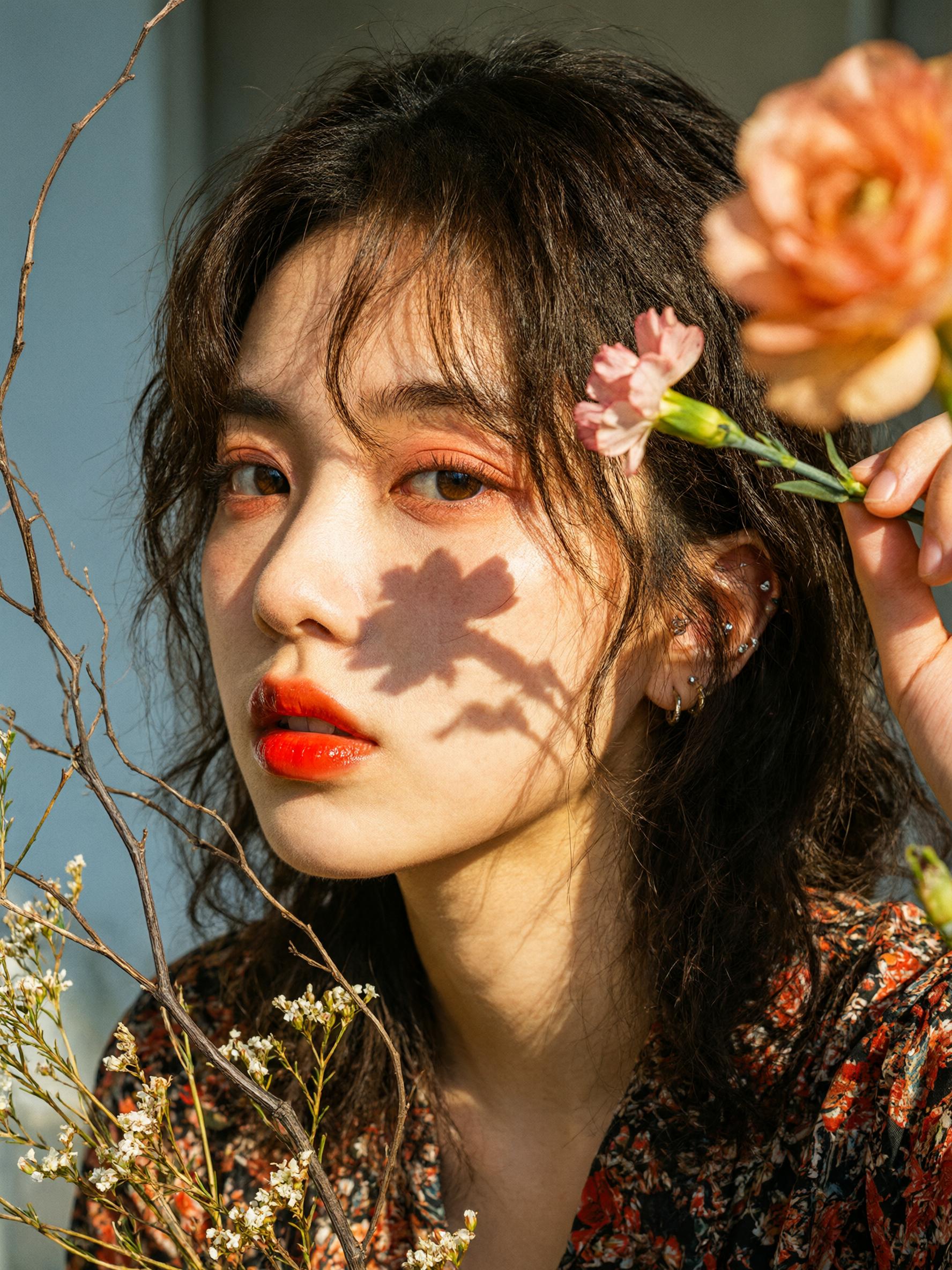
The natural-light shot tests something else: hair strands. Wind-blown wisps have to separate strand by strand against backlight, with light visibly passing through them.
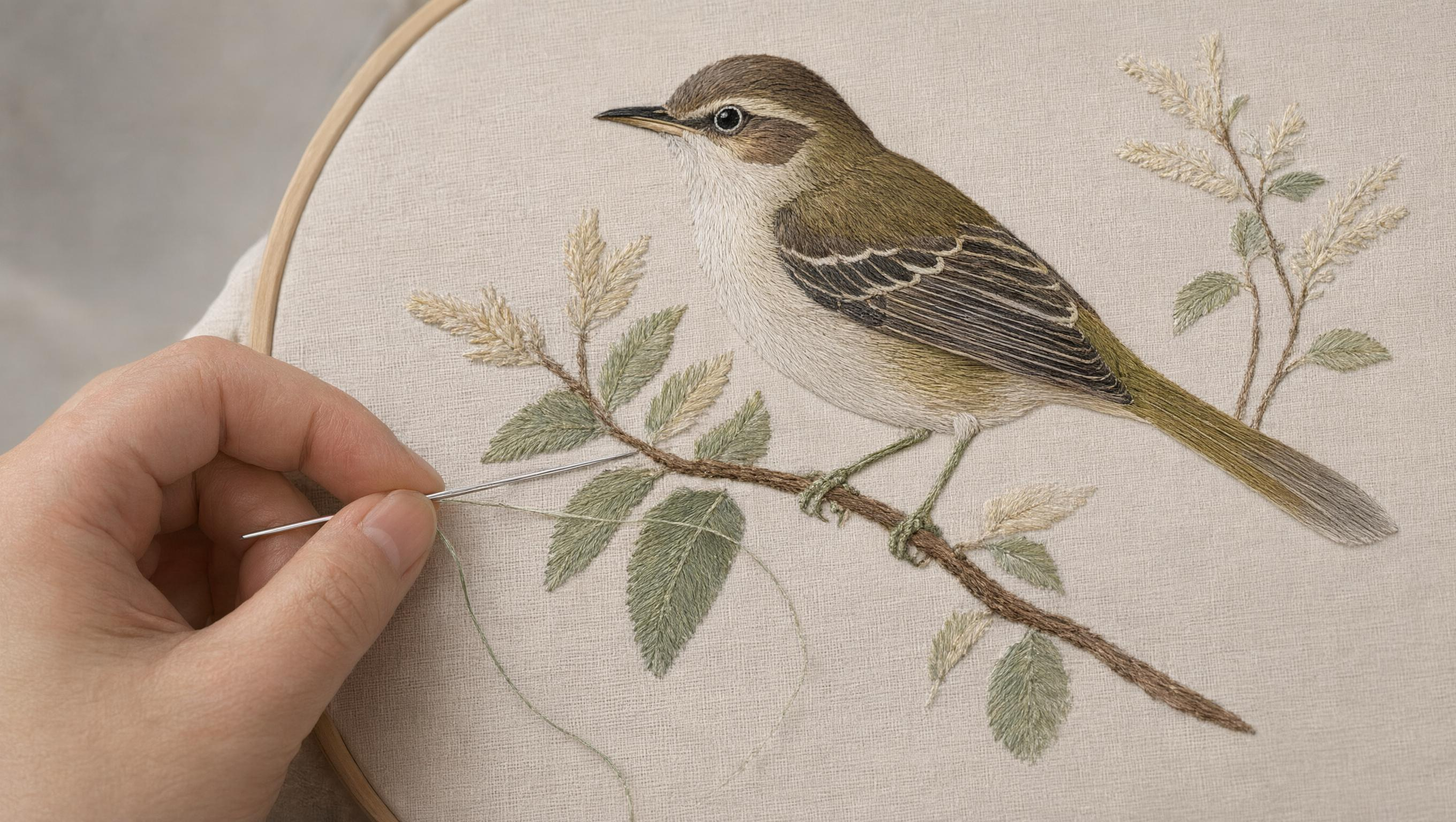
Materials: four completely different surfaces
The non-portrait examples show the range better. For embroidery to work, three things have to land at once: feather layering has to come through in stitch direction, the thread needs the actual sheen of silk, and the linen weave underneath has to show through.
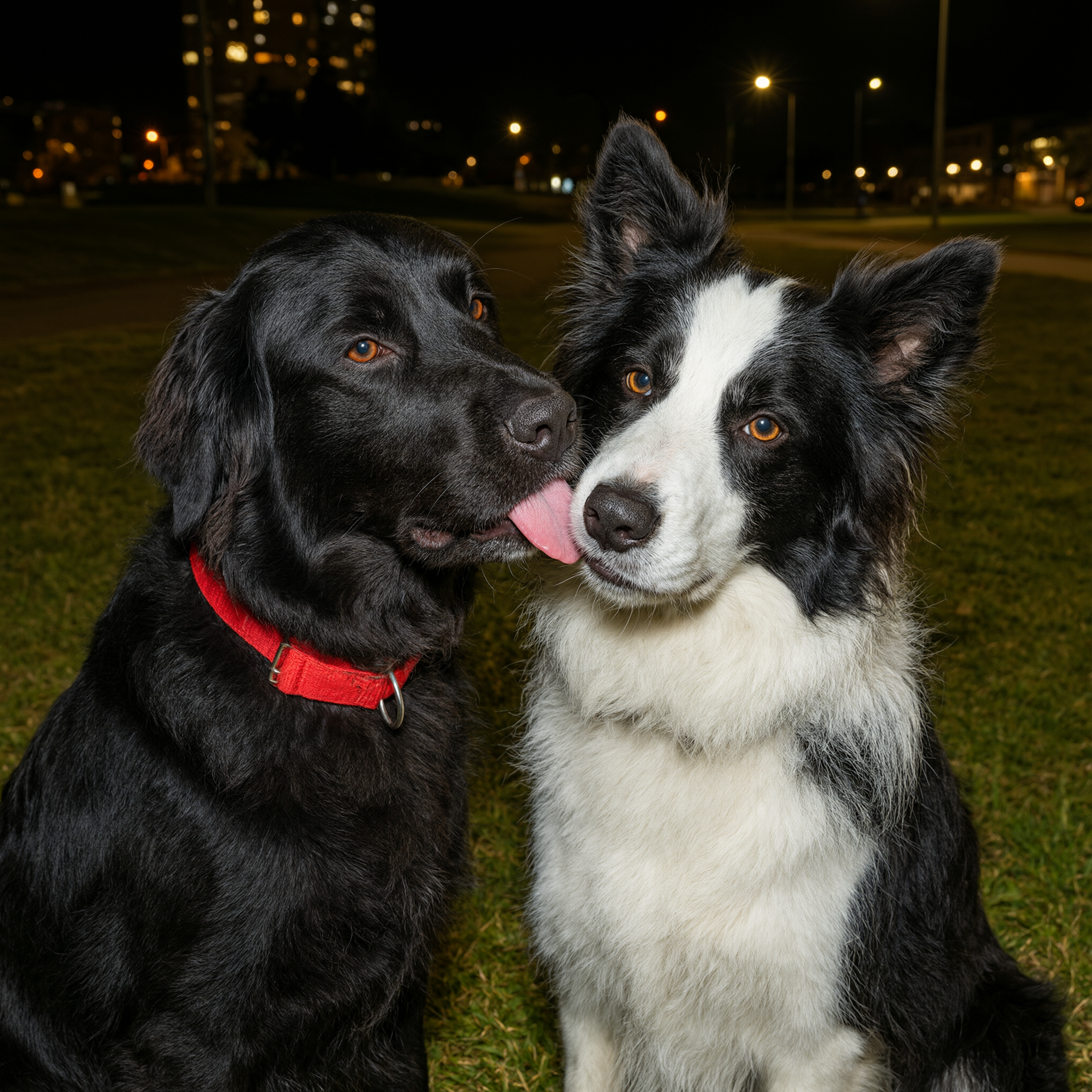
Animal fur runs on a different logic: black fur has to keep its layering in the shadows, and white fur can't blow out under a flash.
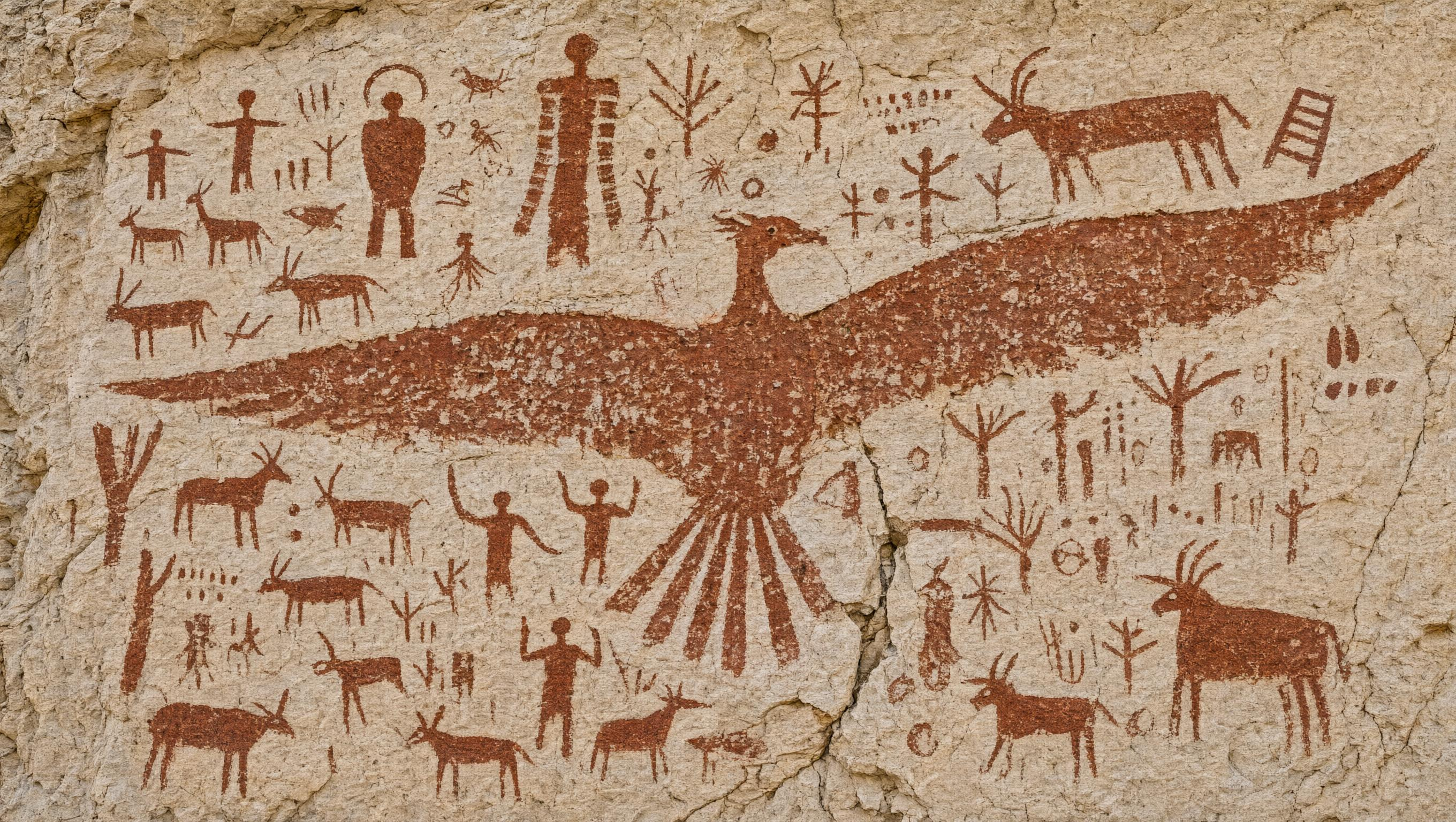
Rock art tests the relationship between pigment and stone: mineral color has to seep into the pores of sandstone, and it needs the mottling of weathering and flaking.
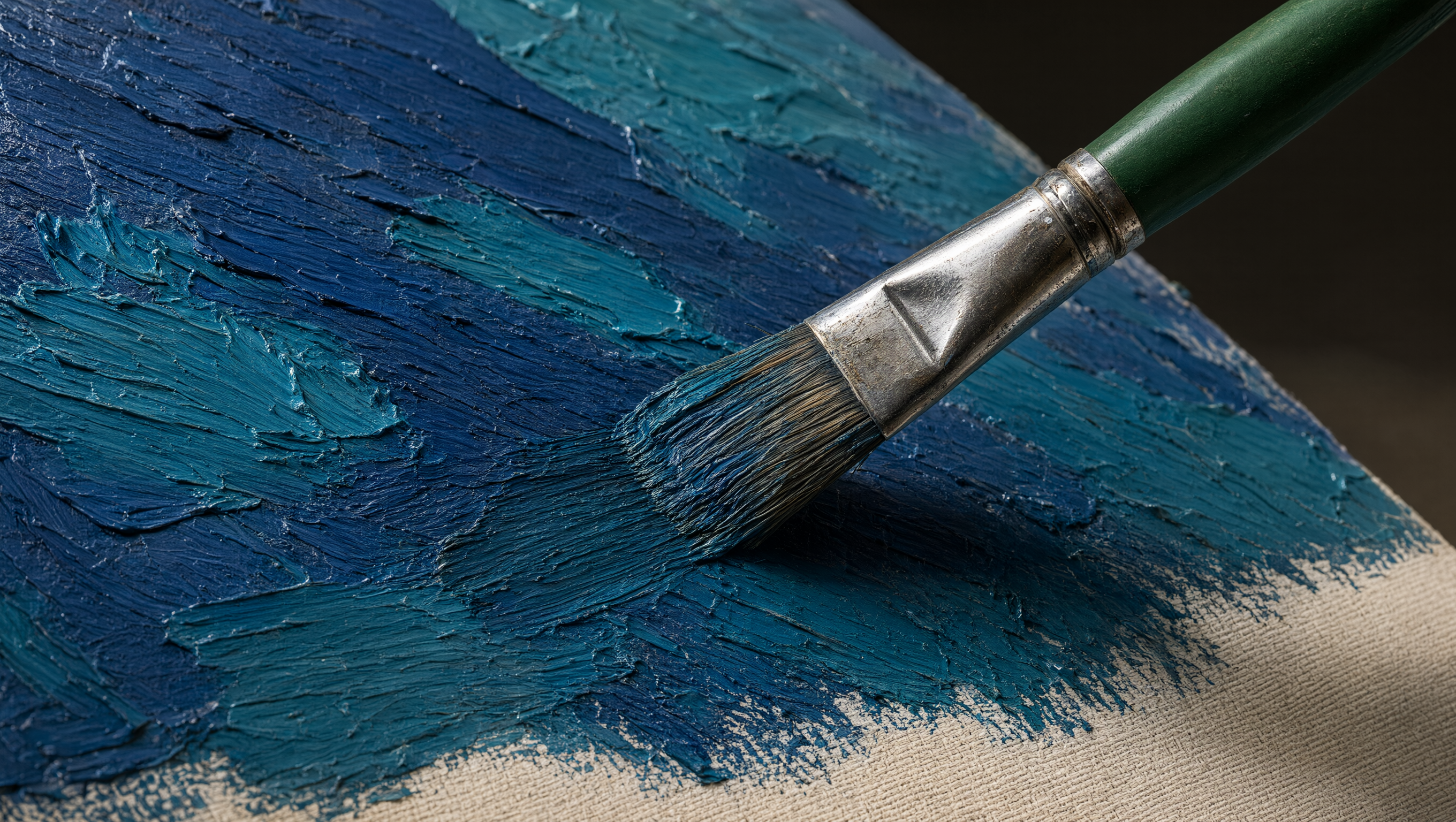
This last one is an extreme macro shot: the thick stacked strokes of oil paint, every individual bristle on the brush, and the scratches and reflections on its metal ferrule.
One model both draws from scratch and edits the image you already have
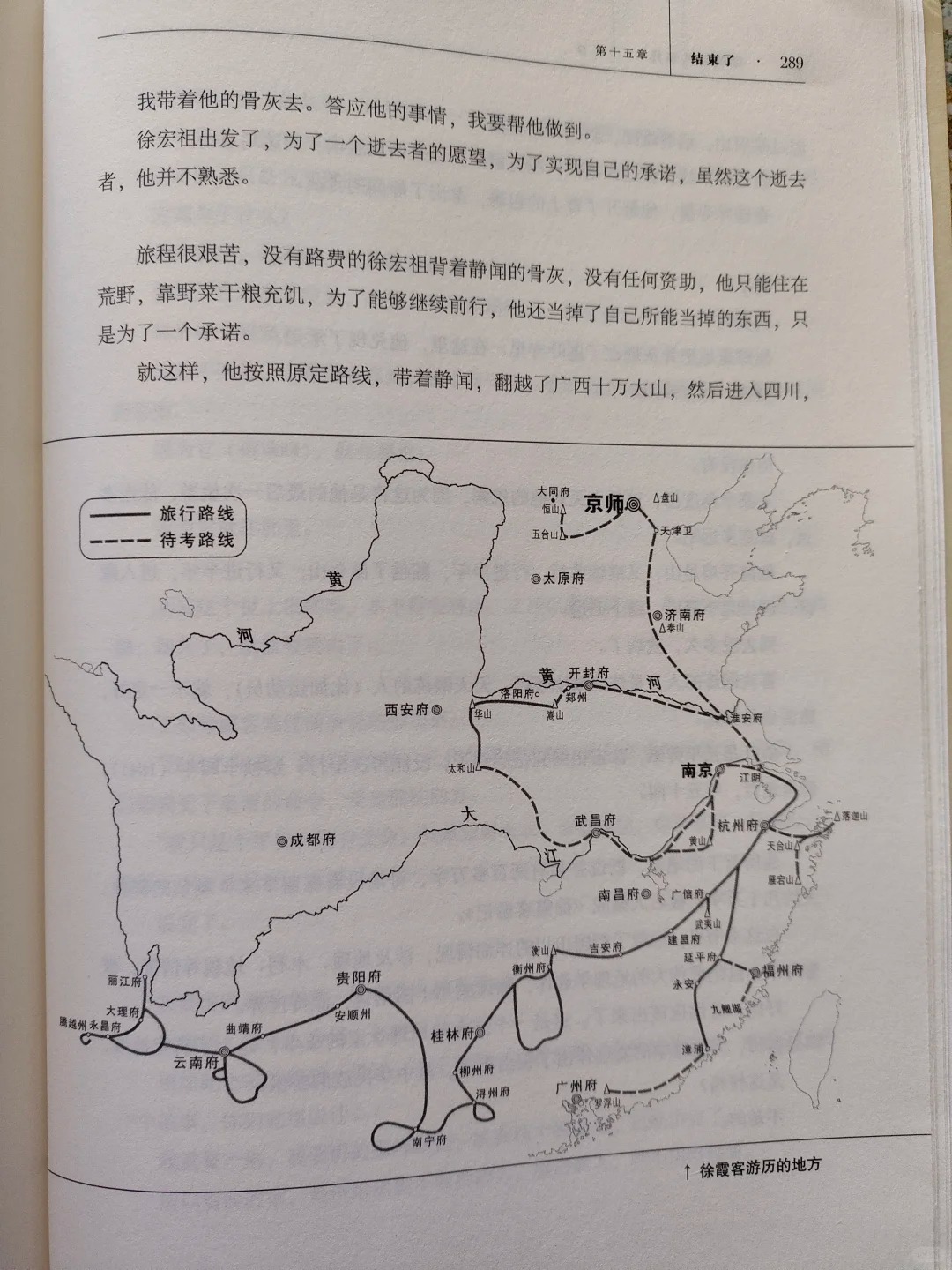
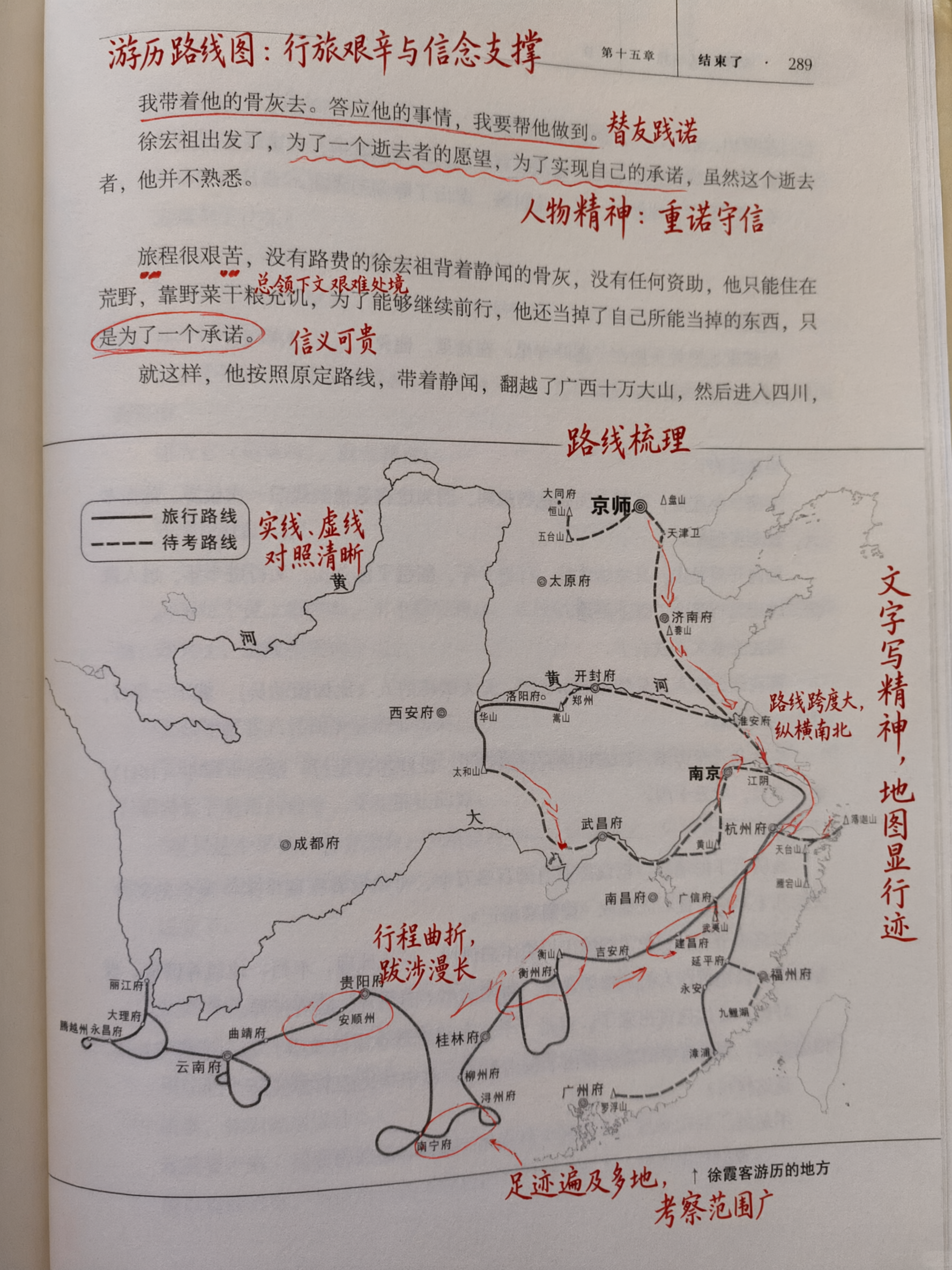
Since the last generation, generation and editing have lived in the same model — no switching models or endpoints. All the detail capabilities above carry over into editing mode too: adding small text, patching gaps, layering on annotations. The three pairs below are all before-and-after shots of the same image.
Adding handwritten annotations to an existing book page
The hard part is how real the handwriting looks. Red-pen strokes need pressure variation, circled words need the irregular hand-drawn oval of an actual pen stroke, arrow tails need a slight hook back at the end, and it all has to sit on top of the printed text rather than float off to the side.
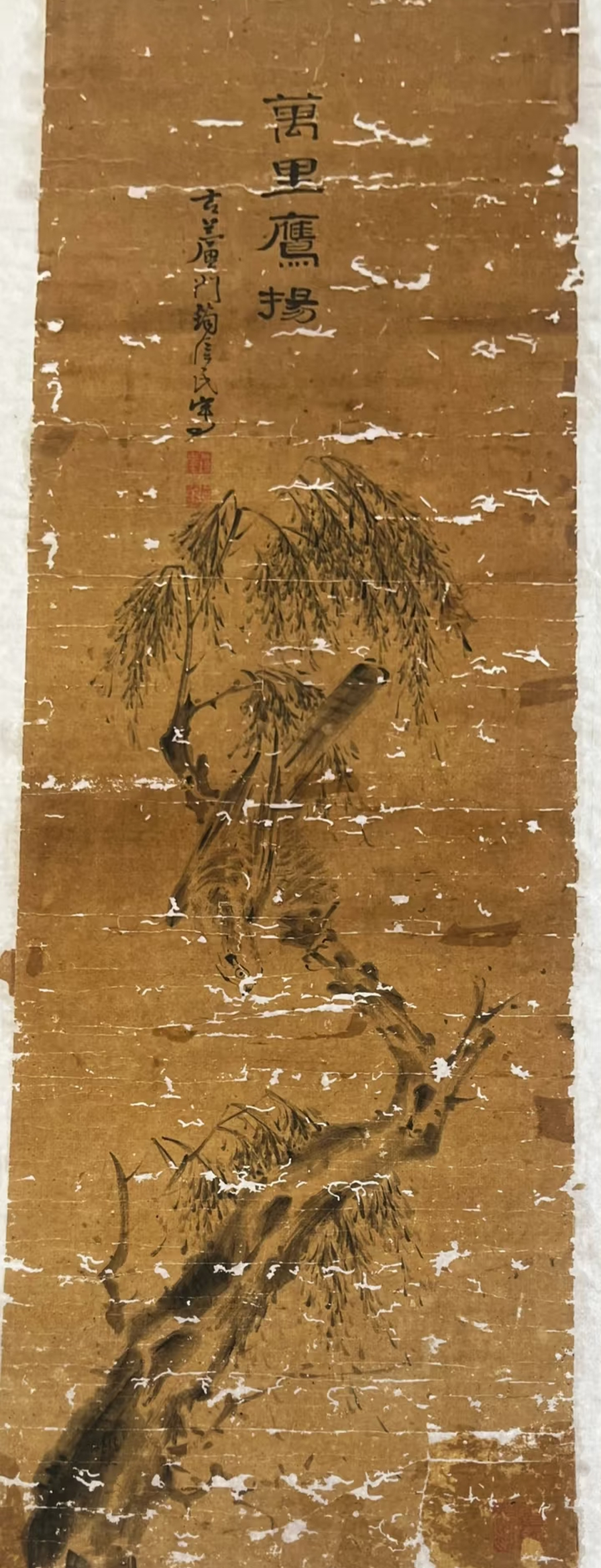
Restoring missing sections of a damaged painting
The requirement here is that the brushwork match the original after restoration, with no sense of a patch job.
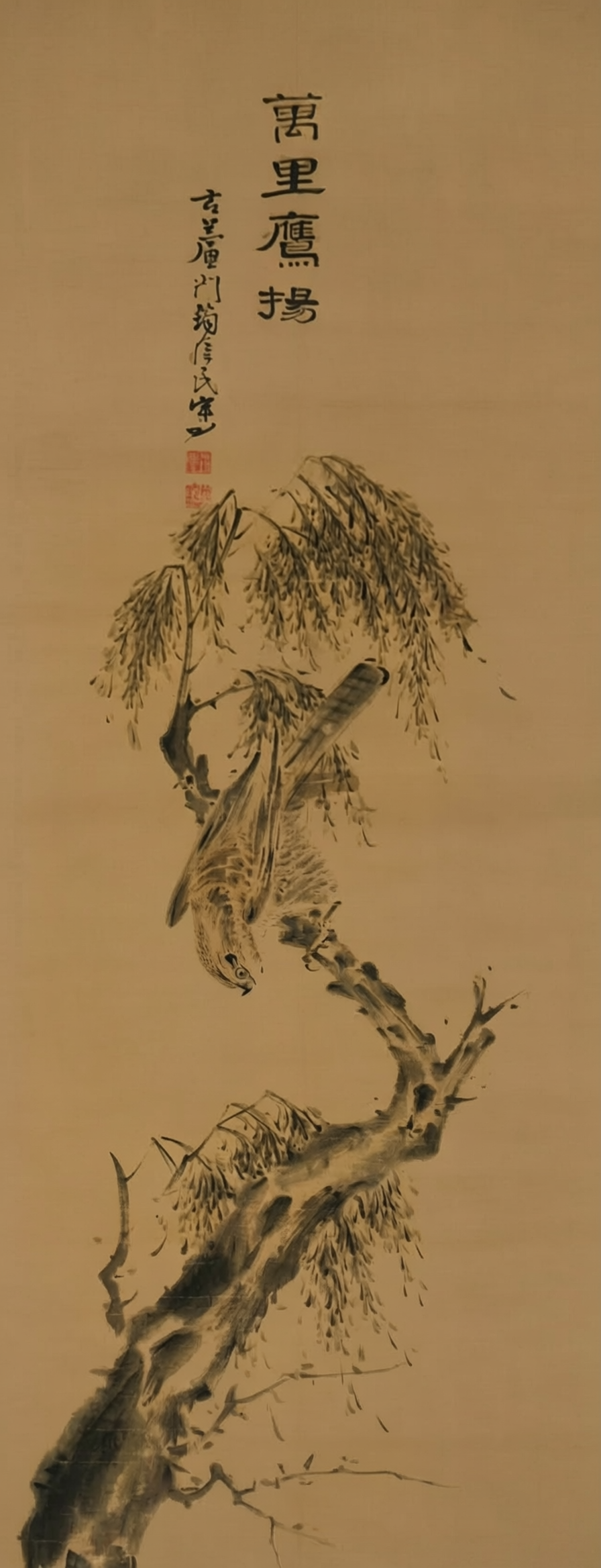
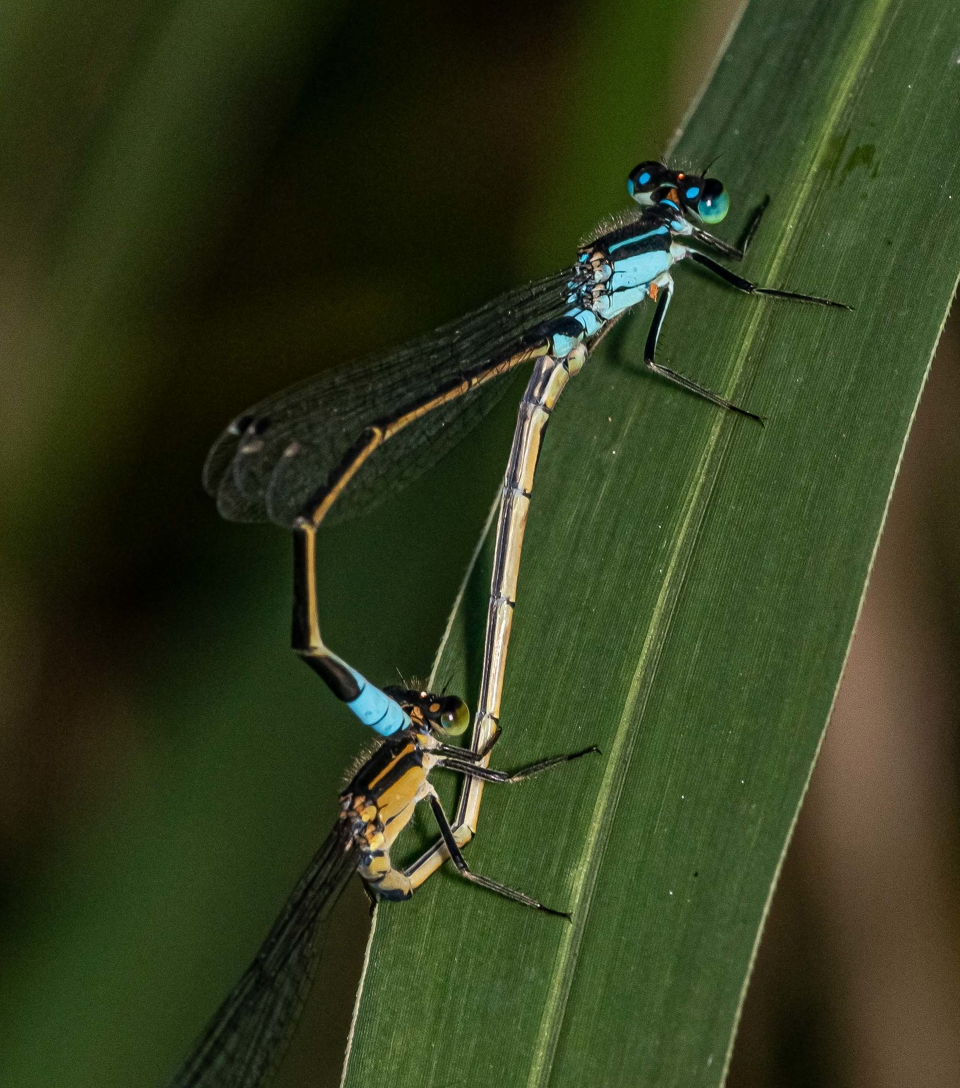
Overlaying a professional annotation layer on a real photo
The input is an ordinary macro photo, and the output has to be usable directly as an academic figure: the subject can't distort, and labels have to point to the right spots.
Give it a character and a scene, and it lays out a full storyboard
Short-drama storyboarding is one of the productivity use cases Qwen names explicitly. Pulling it off requires the model to hold three things at once: the same character looking consistent across a dozen-plus panels, a coherent scene, and clear shot type and camera movement in every panel.
Qwen's example set here is four images. The first three are source material: a character reference, a scene, and one key shot.
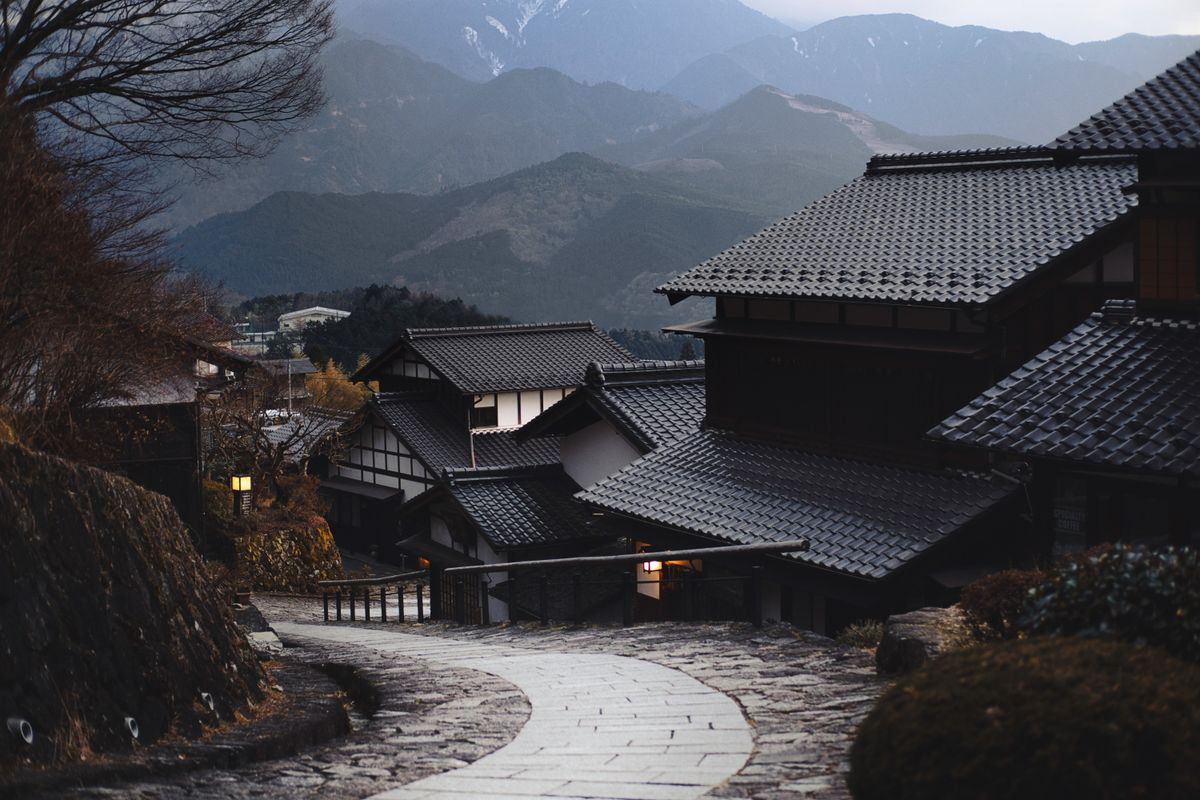
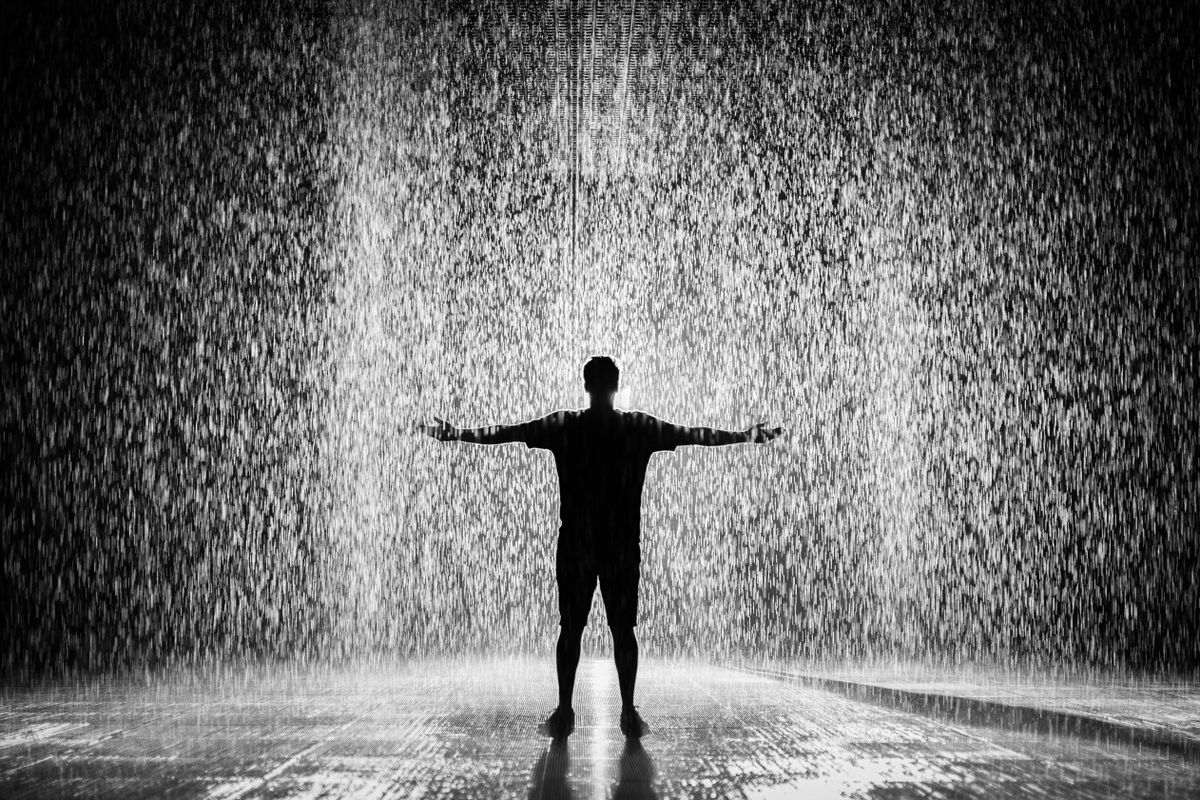
The fourth image strings the first three together into a complete storyboard.
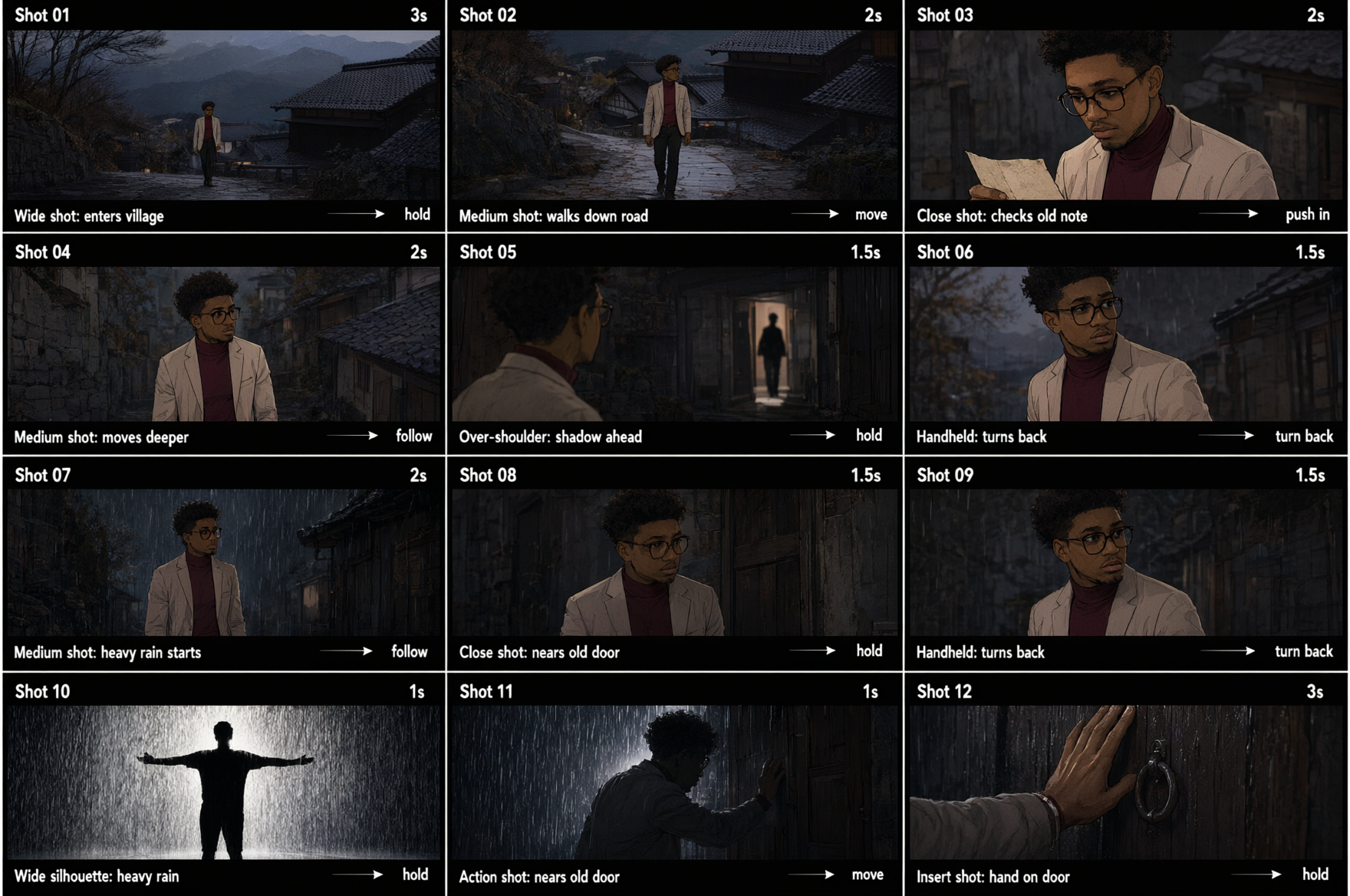
This image draws on every capability covered so far: the same character carries through all 12 panels, the scene and weather advance with the narrative (entering the town, rain starting, the door pushed open), each panel's black label bar packs in dense small text, and the whole thing is a lateral-spread layout in its own right. Panel 10 is the rain silhouette shown above.
The old workflow for this went: generate the character reference, then the scene, then each panel one at a time, then pull everything into design software to lay out and annotate. Now the whole set comes out in one pass.
12 languages, 100-plus styles, mainstream software interfaces — and it pulls in today's information online
This dimension of coverage breaks into four parts: native multilingual rendering, an art-style library, software and web interface simulation, and world knowledge — including pulling fresh information online and recognizing specific IP characters.
Multiple languages, each paired with its own local layout conventions
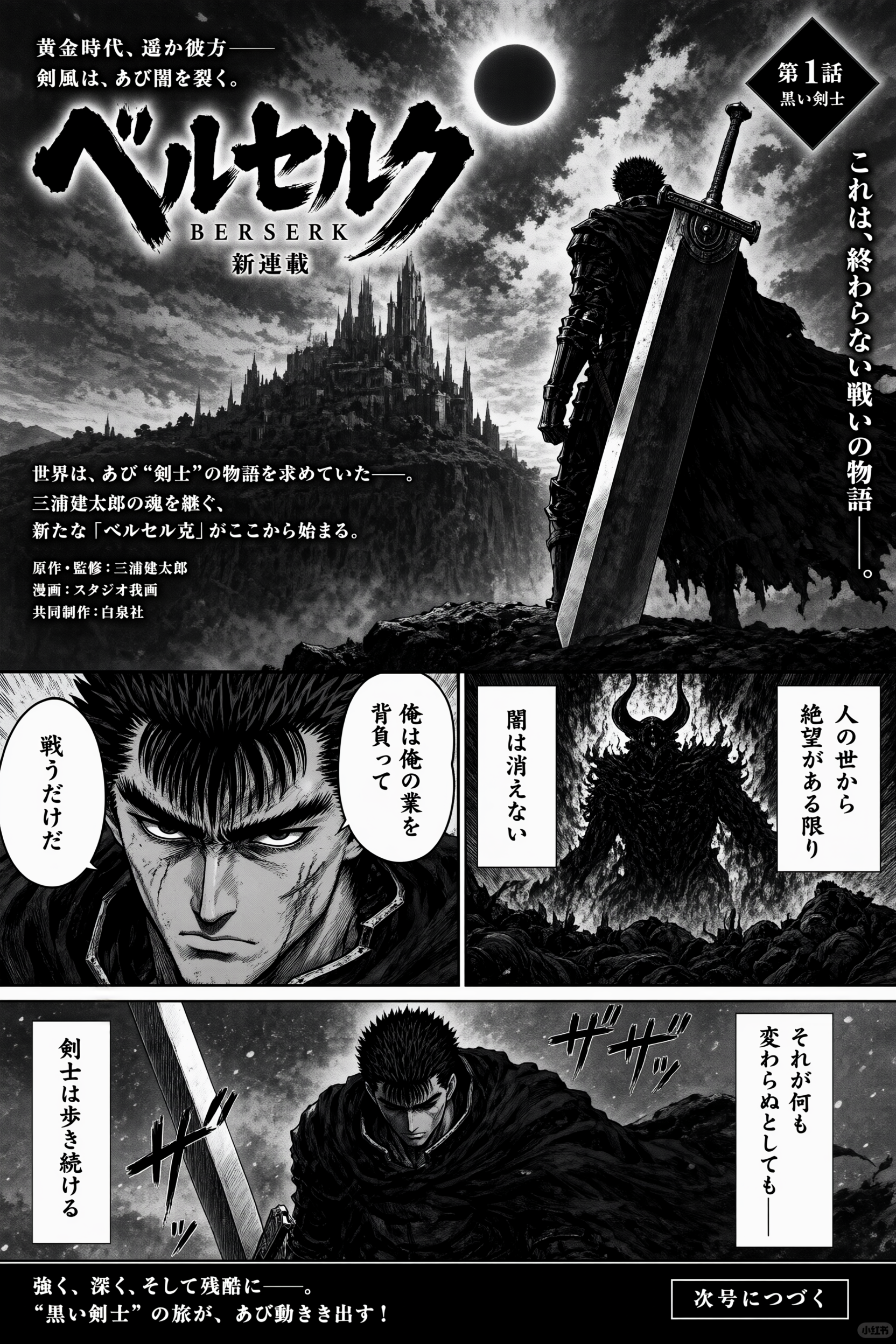
This dimension covers native rendering in 12 languages and more than 100 art styles. The three examples here each take a completely different route. The Japanese one is a manga title page — black-and-white screentone, vertical dialogue boxes, and sound effects all have to line up together as one visual language.
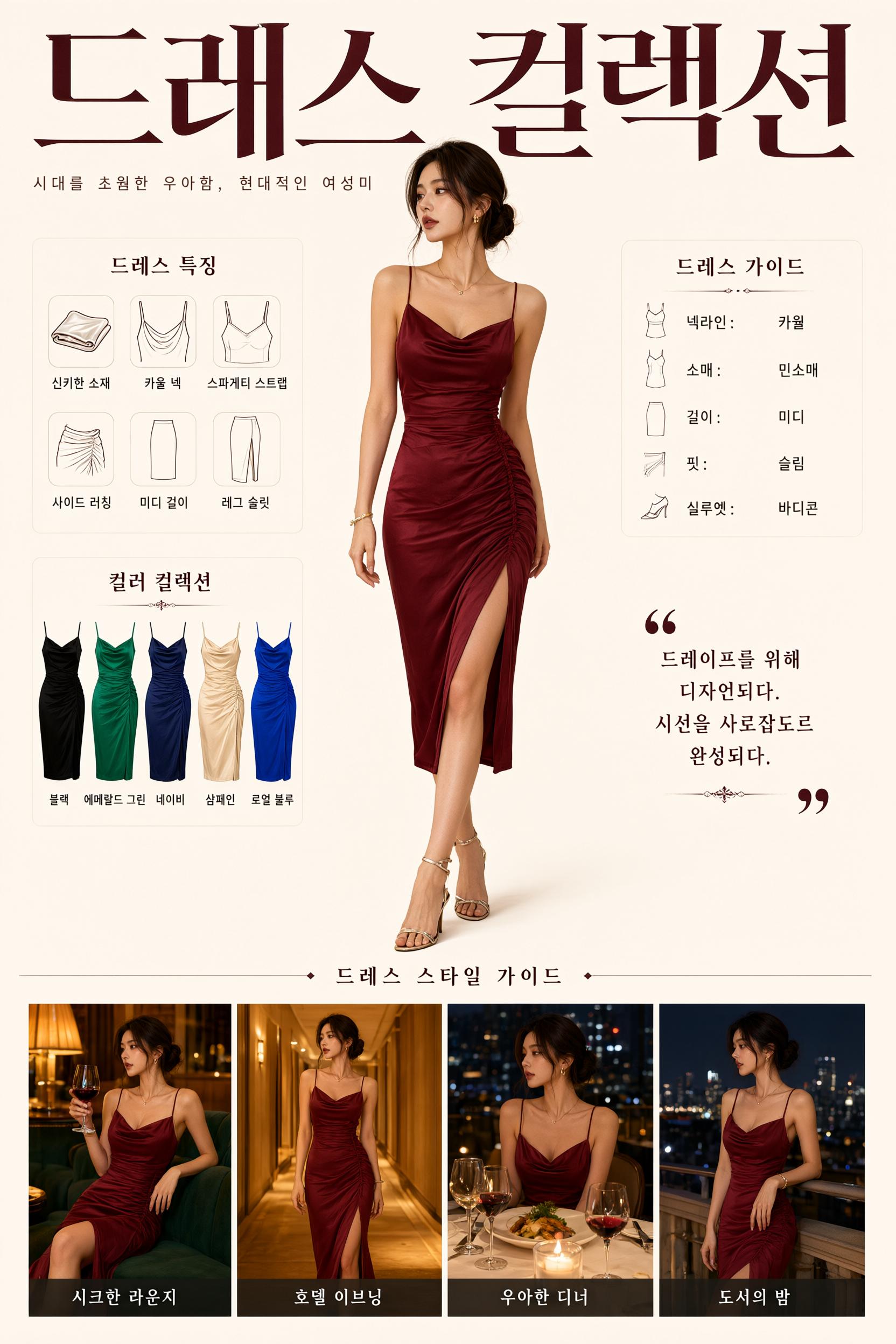
The Korean example is an e-commerce product page: spec icons on the left, a model in the middle, a parameter table on the right, four lifestyle shots along the bottom — a complete product-page layout.
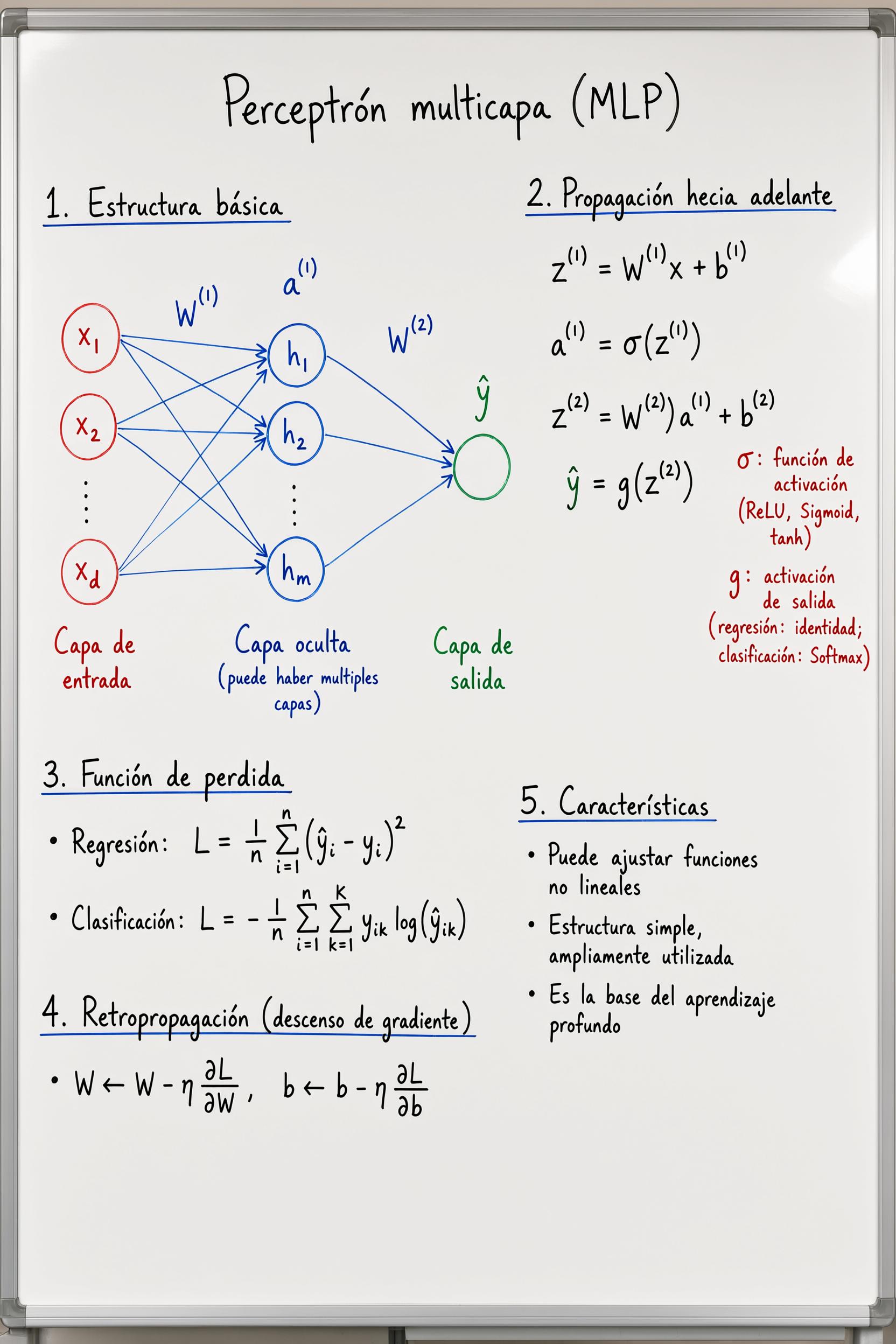
The Spanish example switches to handwriting: whiteboard-marker lettering in three colors, plus a neural-network diagram and math formulas.
Interface simulation
Web, game, and livestream interfaces each follow their own set of control conventions. This capability feeds directly into product prototypes and demo mockups.
Pulling today's information online
The model's built-in world knowledge has a cutoff date; going online is what fills in anything newer. Asked for today's Hangzhou weather forecast, it comes back with a complete weather-and-sightseeing guide.
Recognizing specific IP characters and reworking them
This isn't just about recognizing a face — the model has to carry over the style that character is supposed to be drawn in, too.
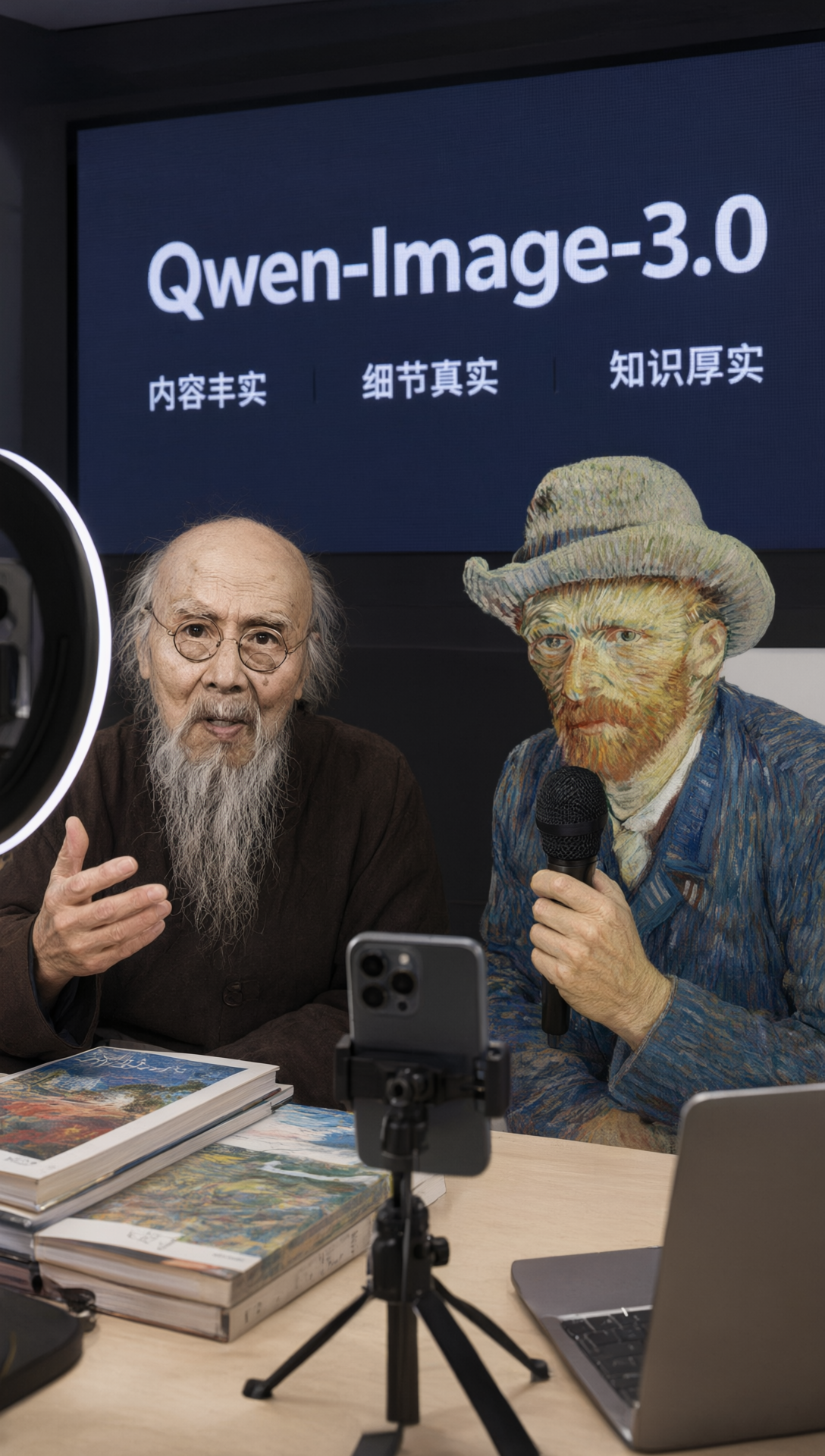
Where to use it now, what it costs, and whether it's open source
Qwen's launch page never mentions any of these three things. This site checked them directly.
In Alibaba Cloud Bailian's pricing table for Qwen text-to-image models, qwen-image-3.0-pro already sits in the top row, marked "free for a limited time" in both the mainland China and international regions. For comparison, the previous-gen qwen-image-2.0-pro cost ¥0.5 per image.
| Model | Mainland China price |
|---|---|
| qwen-image-3.0-pro | Free for a limited time |
| qwen-image-2.0-pro | ¥0.5/image (100 free images) |
| qwen-image-2.0 | ¥0.2/image (100 free images) |
| qwen-image-max | ¥0.5/image |
| qwen-image / qwen-image-plus | ¥0.2–0.25/image |
Bailian's API documentation hadn't been updated as of that day — the newest entry in the model list was still the June 22 version of qwen-image-2.0-pro. The pricing table is already live; the docs will need to catch up. On the web, it's available through Qwen Chat by selecting "image generation."
Open source is a separate story. In the Qwen organization's image-model repositories on Hugging Face, the last weight release was Qwen-Image-2512, dated December 30, 2025. February's Qwen-Image-2.0 never got a weights repository — the corresponding entry in the GitHub changelog only links to the blog post and Qwen Chat. 3.0 currently has neither.
- 2025-08-02 Qwen-Image (first generation, 20B MMDiT, Apache 2.0 license)
- 2025-08-17 Qwen-Image-Edit, 2025-09-22 Edit-2509, 2025-12-17 Edit-2511
- 2025-12-17 Qwen-Image-Layered
- 2025-12-30 Qwen-Image-2512 (the last update to image-generation weights)
- 2.0 in February 2026 and 3.0 in July 2026: no weights released
When using it, write longer prompts. This generation raised the cap to 4.5k tokens precisely so you can spell out every word that needs to appear and where every block needs to sit.
Image generation moves from "painting a picture" to "laying out a whole page": one 3,000-character prompt, nine infographics in a single pass
Tongyi released Qwen-Image-3.0 on July 21. What you can say in one prompt grew from around 700 characters to 3,000 — here's what that buys you, on one page with pictures.
↓ Read it in one page · one diagram moves
A text-to-image model: you write a description, it hands you back a picture. Qwen-Image is Alibaba Tongyi's line of these models, and this is the third generation.
The last two generations could both make things that looked good, but neither could handle "laying out a page" as a job.
✘ A full newspaper page, nine infographics in a connected grid, a whole formula-heavy paper — none of it fit
It got stuck in two places. One: prompts couldn't run long — the last generation capped descriptions at 1k tokens, around 700 Chinese characters, not even enough to cover half of nine things, so it had to draw them in pieces and stitch them together. Two: text couldn't get small — body-copy-sized text just blurred into gray once shrunk down, and newspapers and papers live or die on small text.
This generation raised the single-prompt cap to 4.5k tokens, roughly 3,000 Chinese characters. For the exact same job, the level of detail you can spell out is on a whole different scale.
with the line-plane perpendicularity theorem and figures.
… that's already nearly the whole budget —
the other eight panels need eight more passes, then stitching
Panel 3 stylistic analysis of Chu Shi Biao…
Panel 4 projectile-motion force derivation…
Panel 7 Sylow theorems in group theory…
… all nine panels spelled out at once, 3.7k tokens
Once the prompt can hold it, the jobs it can take on change too:
- Text down to 10px holds up, so a full newspaper page, a whole LaTeX-formula paper, or a dense field guide can all be laid out
- Give it a character reference plus a scene and it lays out a 12-panel storyboard directly, each panel labeled with shot type, duration, and camera movement
- Editing and drawing live in the same model: layer red-pen annotations onto a book page, patch the gaps in a damaged classical painting, add an academic annotation layer to a real photo
- 12 languages laid out in their own local conventions, mainstream software interfaces simulated, and even today's weather pulled in online
Now that prompts can run long, the next question is: with that many things packed into three thousand characters, how does it arrange them all on one canvas?
Say you've got two jobs on your desk: a nine-panel teaching grid, and a product-demo image set. Each one draws on a different one of the model's spatial-control capabilities — one spreads sideways, the other nests inward.
Lateral spread decides how many things one image can hold at once; depth decides how many layers of interface it can nest inward. Newspapers, exam sheets, and teaching wall charts lean on the former; product-demo decks and interface sequences lean on the latter. Diagram by this site.
This generation only really has one number to show for itself: how much you can say in one go. The longer the bar, the more it can pack into a single image.
per prompt
~700 characters
behind that nine-panel grid
- × That generated newspaper printed "4.5k" as "4k"
- × The whale shark guide's conservation status is an outdated pre-2016 listing
- × No open weights — web app or Bailian API only